
Roodo
Play Count0
Published2022-07-08
Supported DevicesPC + Mobile
CategoryAdventure & RPG
Rating★★★★★5.0Rate this game
📝Roodo Overview
Leap, double-jump, and dodge your way through a colorful platforming world where every ledge hides a secret.
💬What is Roodo?
Roodo drops you into a side-scrolling adventure where the controls are simple but the levels are anything but. You've got movement on WASD or arrows, and a double jump that activates when you tap W or Up twice. That second jump is the whole game, really. It's not a floaty, generous double jump like some platformers give you—it's a quick, snappy boost that demands you commit. I spent a good ten minutes on one section where I had to bounce off a wall, double jump over a spike pit, and land on a moving platform the size of a postage stamp. Infuriating? A little. Satisfying when I finally nailed it? Absolutely.
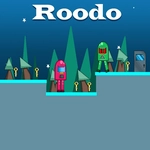
What surprised me is how much personality the game squeezes out of minimal visuals. The hero is a tiny blob with expressive eyes, and the world uses bright, blocky colors that make hazards easy to read. You'll need that clarity because the level design loves to test your spatial awareness. There are hidden nooks above the main path, usually reachable only by chaining jumps at the perfect angle. I found a secret area with a cluster of collectible fruit by jumping off a wall I didn't even realize was climbable. That moment—discovering something the game never told me about—kept me going longer than I expected.
If you're the type who enjoys tight platforming that respects your time (checkpoints are forgiving, but the gaps are brutal), Roodo offers a compact challenge. It's not a sprawling epic, but it doesn't need to be. Master the double jump timing, and you'll start seeing routes the developer clearly intended for speedrunners. I'm not there yet, but I'm close enough to keep trying.
👥How to Play Roodo
Use "WASD" or "Arrow" keys for the player's movement.
Use "W" or "Up" arrow key twice for double jump.
✨Game Tips
Don't just spam the second jump as soon as you leave the ground—wait until the top of your first arc for maximum height and distance.
Hug the walls. Many hidden ledges are only reachable if you double jump off a wall slide, so test every vertical surface.
Watch for the little sparkle particles near edges; they mark where a secret collectible or bonus path might be hidden.
If a jump feels impossible, try releasing the movement key mid-air—Roodo's momentum changes slightly, and that can be the difference.
Take the death. The respawn is fast, and the game punishes hesitation more than mistakes, so commit to risky routes.
🔧FAQ
Q: Is Roodo free to play?
A: Yes, Roodo is completely free to play in your browser with no hidden fees or paywalls.
Q: Do I need to download Roodo?
A: No download needed. Roodo runs directly in any modern web browser as an HTML5 game.
Q: Can I play Roodo on mobile or tablet?
A: The game uses keyboard controls, so mobile touch support is limited. A physical keyboard or desktop browser works best.
Q: What are the controls for Roodo?
A: Use WASD or Arrow keys to move. Press W or Up arrow twice quickly to perform a double jump.
Q: Is Roodo suitable for kids?
A: Yes, it's a non-violent platformer with bright visuals and no mature content, suitable for all ages.
Q: How do I get better at double jumping in Roodo?
A: Practice the timing on flat ground first. Press jump, then press again at the peak of your first jump for the most height.