
Rubik
Play Count0
Published2020-09-07
Supported DevicesPC
CategoryAdventure & RPG
Rating★★★★★5.0Rate this game
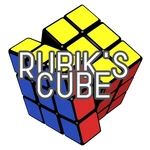
📝Rubik Overview
Grab a row, spin a column, and chase that perfect six-color solve—how fast can you crack the cube?
💬What is Rubik?
I'll admit, I thought this was just another digital Rubik's Cube knockoff until I realized the controls actually feel like holding the real thing. You don't click arrows or buttons—you click and drag directly on any row or column, and that layer twists exactly where your mouse goes. It's weirdly satisfying, like the cube has weight. The 3D rendering is clean, shadows and all, so you can see every face without squinting. If you've ever struggled with a physical cube, this one won't magically solve itself, but the lack of finger grease makes it feel a little more forgiving.
What kept me coming back was the pure puzzle loop. There's no timer ticking down, no score chasing you—just you, a scrambled cube, and the quiet panic of realizing you've destroyed your bottom layer while fixing the top. A real 'aha' moment hits when you stop moving faces randomly and start holding the cube in your head, planning three twists ahead. The game doesn't hand you hints or undo, so mistakes are yours, which is frustrating and brilliant at once.
Honestly, I'd recommend keeping a reference open if you're new to cubing, because the game assumes you know basic layer methods. It's not a tutorial; it's a tool. And if you're like me, you'll spend twenty minutes just spinning a single layer because the motion feels that good. Then you'll accidentally scramble it worse and have to start over. It's a classic brain-burner, but the simplicity keeps it from feeling unfair.
👥How to Play Rubik
Just hold and grab the rows and columns to play.
✨Game Tips
Don't spin layers randomly—pick one face as your anchor and build the cross first.
Use slow, deliberate drags instead of flicking; the cube responds better to smooth pulls.
If you mess up a sequence, try reversing the last two moves exactly rather than restarting.
Keep an eye on the edge pieces, not just centers, when matching a row.
Practice solving one full side with its surrounding edge colors before attempting the whole cube.
Work from the top layer down, locking in corners before you touch the bottom rows.
🔧FAQ
Q: Is Rubik free to play?
A: Yes, it's completely free in your browser.
Q: Can I play Rubik on mobile?
A: Yes, the touch drag works on phones and tablets.
Q: Do I need to download anything?
A: No downloads; it runs directly in your web browser.
Q: What are the controls for Rubik?
A: Click and hold any row or column, then drag to twist that layer.
Q: Is this game good for beginners?
A: It doesn't include a tutorial, so beginners may want a solving guide.
Q: Can I undo a wrong move?
A: There's no undo button—you have to twist the layer back manually.