
Run Giant 3D
Play Count0
Published2021-10-13
Supported DevicesPC + Mobile
CategoryAdventure & RPG
Rating★★★★★5.0Rate this game
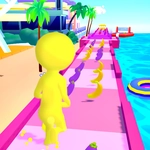
📝Run Giant 3D Overview
Swipe to dodge traffic, smash through buses, and watch your giant swell from three stories to a skyscraper-sized monster.
💬What is Run Giant 3D?
Run Giant 3D puts you behind the wheel of a rampaging colossus, and I mean that literally — you're the giant. The city unfurls before you in chunky 3D, all gray skyscrapers and yellow taxis just waiting to get kicked around. Slide your finger or mouse to weave between obstacles, and here's the hook: every vehicle you wreck, every pedestrian path you clear, every parked car you punt adds mass. Before you know it, a bus that used to worry you is just a speed bump under your size-900 foot.
What got me first was the weird satisfaction of watching the scale shift. Start small — well, small for a giant — maybe three stories tall. Then you flatten a couple of sedans, and suddenly you're shoulder-high with a ten-story building. Then the real fun starts: buses, trucks, whole highway overpasses turn into Lego bricks. The controls are dead simple, no jump button, no nonsense, but the spatial judgment matters. You'll learn to read gaps between buildings because getting stuck is instant death. And there's a score multiplier when you chain destruction without stopping.
I kept restarting after every untimely collision just to see how big I could actually get. There's something about becoming the biggest thing in the simulation that never gets old. It's not a deep game — don't expect a plot — but as a five-minute break between serious matches, it delivers exactly what the title promises.
👥How to Play Run Giant 3D
Slide to move.
✨Game Tips
Don't slow down between wrecked cars — chain your smashes to keep the growth meter climbing.
Aim for trucks and buses early; they give way more size than sedans.
Watch the road far ahead, not right under your giant feet — you'll dodge cheap hits.
If a gap looks too narrow, it is. Swerve around whole blocks rather than testing your width.
Bigger isn't always safer: the wider you get, the less forgiving the lanes become.
Use the edges of the road to clip small cars without losing your forward momentum.
🔧FAQ
Q: Is Run Giant 3D free to play?
A: Yes, it's completely free in your browser — no paywalls or premium unlocks.
Q: Can I play Run Giant 3D on my phone?
A: Of course. The slide control was built for touchscreens, so it feels natural on mobile.
Q: Do I need to download anything to run it?
A: No downloads needed. The game runs straight in your browser as an HTML5 title.
Q: What happens if I hit an obstacle too big to smash?
A: Your run ends right there. You can restart instantly and try to get even bigger.
Q: Does bigger size make me faster?
A: Not directly, but you cover more ground per step, so it can feel like it. Focus on avoiding traps.
Q: Can I turn off the sound if I'm in class?
A: Most versions include a mute button in the corner — check the settings or pause menu.