
Scary Reptiles Coloring
Play Count0
Published2020-03-23
Supported DevicesPC + Mobile
CategoryKids & Educational
Rating★★★★★5.0Rate this game
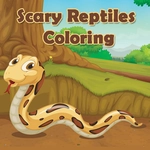
📝Scary Reptiles Coloring Overview
Turn fanged snakes and armored crocs into rainbow terrors with a few clicks—perfectly harmless, weirdly calming.
💬What is Scary Reptiles Coloring?
I expected a cheap time-waster. Instead, I spent twenty minutes deciding whether a komodo dragon looks better in hot magenta or swamp green. Scary Reptiles Coloring is basically a digital coloring book filled with pages of reptiles drawn in that slightly cartoonish but still menacing style—snakes with hoods flared, crocs with jagged teeth, geckos with too many spikes. You get a palette of colors and a cursor that acts like a paintbrush or bucket. Click a shade, click a section, it fills instantly. The keyboard can handle shortcuts like undo or switching tools, but honestly the mouse does everything you need.
The best part is how the scales are broken into tiny irregular polygons. You can go full rainbow chaos or try to make a realistic green anaconda. I found myself squinting at the screen to fill every single tooth a different shade of yellow. There's no timer, no score, no wrong answers—just you and a reptile that slowly turns into a psychedelic nightmare. The game stays quiet too, so you can zone out and focus on nothing but color choices, which is exactly what you want from a casual art game.
For a kids' game it's got just enough 'scary' edge to make an 8-year-old feel brave without actual gore. Parents can relax; it's all cartoonish. If you want a zero-pressure creative outlet, this beats doomscrolling. Just don't expect a deep art program—the fill tool is basic, and colors are preset. That's fine. Sometimes you just want to make a purple viper.
👥How to Play Scary Reptiles Coloring
Use Mouse To Play and Keyboard
✨Game Tips
Stick to the bucket tool for big areas—clicking individual scales takes forever unless you're going for that chaotic mosaic look.
Try pairing a dark background color with neon green and orange reptiles; the contrast makes the finished page pop.
Use the undo button (usually Z or Ctrl+Z) liberally—there's no penalty, and it beats starting a page over because you accidentally filled the wrong section.
If a page feels too busy, zoom out and focus on the head and eyes first; those details carry the 'scary' factor.
Save or screenshot your finished reptile before closing the tab—the game may not auto-save your work.
🔧FAQ
Q: Is Scary Reptiles Coloring free to play?
A: Yes, it's completely free in your browser with no paywalls or locked pages.
Q: Do I need to download or install anything?
A: No downloads required. It runs on HTML5, so just open the page and start coloring.
Q: Can I play on a phone or tablet?
A: Yes, the mouse controls translate to touch—tap a color, then tap the section you want to fill.
Q: Is this game actually scary for younger kids?
A: The reptiles are cartoonish, not realistic horror. No gore or jump scares, so most kids handle it fine.
Q: Are there different reptiles to color?
A: Yes, you get multiple pages featuring snakes, lizards, crocodiles, and other scaly critters.
Q: Can I print my finished coloring page?
A: Depending on the game version, you can screenshot and print, but there's no built-in print button.