
School Stories: Teacher Sim
Play Count0
Published2025-08-08
Supported DevicesPC + Mobile
CategoryAdventure & RPG
Rating★★★★★5.0Rate this game
📝School Stories: Teacher Sim Overview
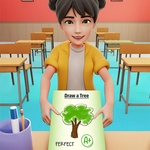
Bell's ringing, paper balls are flying, and you're the teacher now. Can you tame this classroom in School Stories: Teacher Sim?
💬What is School Stories: Teacher Sim?
I wasn't expecting much from a browser teacher game, but School Stories: Teacher Sim hooked me with its weirdly specific classroom chaos. You start at the front of a 3D classroom, and within seconds a kid raises a hand, another one drops a pencil, and someone's asking to go to the bathroom. Your job is simple on paper — click on whatever needs attention and keep the room from spiraling. The 3D camera makes it feel more like a mini role-playing scene than a flat flash game, and there's something satisfying about nailing a quick sequence of clicks before the next interruption hits.
The pacing is what got me. One moment you're passing out worksheets, the next you're sorting a stack of homework into a grade book, then you're pointing at the board for a spelling word. It's not deep, but it doesn't pretend to be. The mouse-only controls (or tap on a touchscreen) mean you can play one-handed while eating a sandwich, which I did. Some interactions are intentionally finicky — grabbing a paper off a student's desk takes a click in just the right spot — and that little bit of friction keeps it from feeling automated.
There's no complicated story, no real lesson planning; just a steady flow of small classroom tasks that build into a rhythm. If you like low-pressure games where you're always slightly annoyed at virtual children, this one's a good time. I kept coming back to see if I could get through a full day without letting the room descend into chaos.
👥How to Play School Stories: Teacher Sim
Mouse click or tap to play
✨Game Tips
Click fast but don't spam — some actions need a second to register.
Keep an eye on the back row; troublemakers usually start there.
Tap instead of click on mobile — it's snappier for small objects.
Finish worksheets before grading them, otherwise the grade book won't fill.
If the bell icon pops up, drop everything and hit it early to avoid a late penalty.
Use the camera angle to zoom in on desks when a paper is hard to grab.
🔧FAQ
Q: Is School Stories: Teacher Sim free?
A: Yes, you can play it right in your browser without paying anything.
Q: Do I need to download anything to play School Stories: Teacher Sim?
A: No downloads. It runs on HTML5 in your browser.
Q: Can I play School Stories: Teacher Sim on mobile?
A: Yes, the game supports tap controls and works on most phones and tablets.
Q: What do I do in School Stories: Teacher Sim?
A: Click or tap on students, desks, and objects to teach, grade, and manage the classroom.
Q: Is School Stories: Teacher Sim unblocked at school?
A: It's an unblocked browser game, so many school networks allow it.
Q: How long is a full game day in School Stories: Teacher Sim?
A: Each in-game day lasts a few minutes, depending on how quickly you complete tasks.