
Scooby Doo My Scene
Play Count0
Published2022-03-07
Supported DevicesPC + Mobile
CategoryKids & Educational
Rating★★★★★5.0Rate this game
📝Scooby Doo My Scene Overview
Help Scooby and the gang piece together their own haunted hangout—drag, drop, and watch your mystery scene come alive.
💬What is Scooby Doo My Scene?
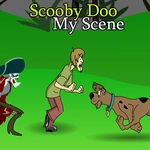
You get a blank backdrop, a pile of Scooby-Doo characters, props, and spooky bits, and you just drag them wherever you want. Tap or click an item, pull it onto the scene, drop it, and repeat. No timer, no score, no wrong answers. It's basically a digital sticker book with the whole Mystery Inc. crew—Scooby, Shaggy, Velma, Fred, Daphne, plus ghosts, skeletons, the Mystery Machine, and a ton of haunted house junk.
I messed around with it for ten minutes and found myself layering a ghost behind the van, sticking a sandwich in Shaggy's hand, and piling five different monsters near the front door just to see how ridiculous it could get. The drag-and-drop feels smooth on a mouse or touchscreen, and items snap into place nicely. One thing I noticed: you can stack things on top of each other pretty freely, so you can create some weird overlaps if you want. The art style is classic Scooby-Doo cartoon, bright and slightly retro, which fits the vibe.
It's not deep, and older kids might get bored after a few scenes, but for younger fans or anyone who just wants a chill creative break, it scratches that itch. There's no save button, so your scene resets when you reload, but that's honestly part of the charm—you get a fresh canvas every time. If you just want to mess around with Scooby characters without any pressure, this is a solid little time waster.
👥How to Play Scooby Doo My Scene
Select by tapping on the screen and drag and drop.
✨Game Tips
Layer items for depth—put a ghost behind the Mystery Machine to make it peek out.
Use the blank spaces as negative space; a sparse scene often looks better than a cluttered one.
Stack odd combinations (sandwich + ghost) for goofy results that feel very Scooby-Doo.
Work from background to foreground: place large props first, then characters, then small details.
If the scene feels stuck, drag an item off the edge and drop it back in a different spot.
Tap around the edges—some props have hidden interactive bits when you drop them near matching characters.
🔧FAQ
Q: Is Scooby Doo My Scene free to play?
A: Yes, it's completely free with no in-game purchases or hidden fees.
Q: Can I play Scooby Doo My Scene on my phone?
A: Absolutely. The drag-and-drop controls work with touchscreens on iOS and Android.
Q: Do I need to download anything to play?
A: No downloads required. It runs directly in your browser as an HTML5 game.
Q: What age group is this game best for?
A: It's ideal for kids aged 5-10, but any Scooby-Doo fan can enjoy it.
Q: How do I reset my scene if I mess up?
A: Refresh the browser page and you'll get a clean blank backdrop to start over.
Q: Is Scooby Doo My Scene unblocked at school?
A: Usually yes, since it's hosted on unblocked games sites and doesn't require any special permissions.