
Scooter XTreme 3D
Play Count0
Published2021-11-25
Supported DevicesPC + Mobile
CategoryAdventure & RPG
Rating★★★★★5.0Rate this game
📝Scooter XTreme 3D Overview
Leap off towering ramps, thread through gaps, and stick impossible landings as you chase the next level in this 3D scooter rush.
💬What is Scooter XTreme 3D?
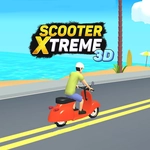
Scooter XTreme 3D throws you onto a scooter with one goal: get to the next level. The controls are dead simple — tap the screen to move forward — but the courses get mean fast. Ramps launch you high enough to clear a bus, then drop you onto a strip of concrete the width of a skateboard. I clipped a rail on level four and watched my rider ragdoll into a stack of tires, then immediately tapped retry. That loop is the whole appeal.
What surprised me is how much the game trusts you to learn from crashes. There's no tutorial hand-holding, no glowing arrows. You just tap, fly, and either land or eat pavement. The 3D camera swings behind the rider, so judging speed and distance becomes second nature after a few runs. Some levels hide alternate lines — hug the left side of the big quarterpipe and you'll slingshot over a gap that looks impossible from the default angle.
It's not a huge game, and the physics can feel floaty if you're used to realistic skate sims. But as a quick browser hit, Scooter XTreme 3D nails that "one more attempt" itch. You'll start off wobbling, then suddenly you're stringing together three clean jumps and wondering where the last twenty minutes went.
👥How to Play Scooter XTreme 3D
Tap On The Screen To move The next Level.
✨Game Tips
Tap early on approach ramps — the jump wind-up isn't instant.
Don't hold the screen constantly; short taps keep speed manageable.
Look ahead for the next ramp's angle before you commit to a landing.
The third ramp on level two has a sneaky gap on the right side.
Crashes restart instantly, so treat every failed run as free practice.
Learn the default camera's blind spot — it hides a low rail on the final stretch.
🔧FAQ
Q: Is Scooter XTreme 3D free?
A: Yes, it's completely free to play in your browser with no hidden fees.
Q: Can I play Scooter XTreme 3D on mobile?
A: Yes, the tap controls work great on touchscreens and desktop browsers alike.
Q: Do I need to download anything to play?
A: No download needed — just open the page and start tapping.
Q: What are the controls for Scooter XTreme 3D?
A: Tap the screen to move forward; release to slow down slightly before a ramp.
Q: Does Scooter XTreme 3D work offline?
A: No, you need an internet connection since it runs in a web browser.
Q: Is Scooter XTreme 3D suitable for kids?
A: Yes, there's no violence or gore — just cartoon crashes and ragdoll physics.