
Scribble Grass Cutter
Play Count0
Published2021-07-15
Supported DevicesPC + Mobile
CategoryAdventure & RPG
Rating★★★★★5.0Rate this game
📝Scribble Grass Cutter Overview
Drag your finger to slice through overgrown lawns and watch the grass fall in satisfying ribbons of green.
💬What is Scribble Grass Cutter?
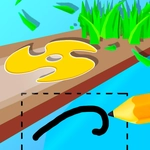
Scribble Grass Cutter is one of those games that sounds almost too simple to be fun, but then you find yourself zoning out for twenty minutes drawing loops through virtual turf. You get a top-down-ish 3D view of a chunk of lawn, and your mouse or finger becomes a whirring blade. Drag it across the grass and it slices cleanly away, leaving a neat brown trail. There's no health bar, no timer, no enemy—just you, the grass, and the satisfaction of clearing every last patch.
The first time I tried it, I went straight for efficiency: long straight lines, back and forth like mowing a real lawn. But then I got bored and started doodling. That's when the game clicked. You can draw spirals, zigzags, letters, even crude smiley faces, and the blade follows your exact stroke. Because the grass is tall and dense, the contrast between cut and uncut areas is stark, so your artwork shows up immediately. A tiny physics quirk: if you lift the mouse mid-stroke, the blade stops instantly, so you have to keep the button held for continuous cuts. It sounds trivial, but it turns the whole thing into a kind of low-stakes precision test.
You won't find levels to beat or scores to chase. It's purely a sandbox for your inner neat freak or doodler. I kept coming back just to see how clean I could get a section, or to fill the lawn with nonsense lines. If you need a brain break or something to fidget with during a call, this one fits perfectly. Just don't blame me if you look up and realize the entire yard is now a gray canvas.
👥How to Play Scribble Grass Cutter
Slide to draw
✨Game Tips
Hold the mouse button (or keep your finger down) the whole time you want to cut—lifting stops the blade instantly.
Try drawing curves instead of straight lines for a more organic look and a satisfying visual flow.
Use the contrast between cut and uncut grass to sketch letters or simple shapes before cleaning up.
Don't rush—there's no time limit, so take a moment to enjoy the clean slice and the trail.
For an extra challenge, try to cover the entire lawn with a single continuous line without lifting.
🔧FAQ
Q: Is Scribble Grass Cutter free?
A: Yes, it's completely free to play in your browser with no hidden fees or premium options.
Q: Can I play Scribble Grass Cutter on mobile?
A: Yes, the game works on touchscreen devices. Just slide your finger across the grass to cut.
Q: Do I need to download anything to play?
A: No downloads required. The game runs directly in your web browser using HTML5.
Q: Is Scribble Grass Cutter unblocked at school?
A: It's available on many unblocked games sites, so you can usually play it during breaks if the site is allowed.
Q: What are the controls for Scribble Grass Cutter?
A: Hold down the left mouse button (or touch the screen) and drag to move the blade. Release to stop cutting.
Q: Does the game have levels or a scoring system?
A: No, it's a sandbox without levels or scores. You just clear grass at your own pace.