
Sea Port: Controller
Play Count0
Published2026-01-27
Supported DevicesPC + Mobile
CategoryAdventure & RPG
Rating★★★★★5.0Rate this game
📝Sea Port: Controller Overview
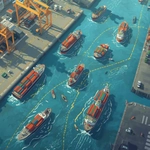
Sketch safe routes across a busy harbor, steer multiple ships with just your finger or mouse, and keep every vessel out of collisions.
💬What is Sea Port: Controller?
Port traffic is no joke. You're not driving ships directly here — you're the invisible hand drawing their routes. Click or tap and drag a line from a ship to its matching dock, and the vessel follows exactly that path. Sounds easy? It is, for about thirty seconds. Then a second ship appears, then a third, and now your carefully drawn lanes are crossing. If two ships touch, it's over. My first serious attempt ended with a container ship plowing into a tugboat because I'd drawn both routes through the same narrow gap. I actually laughed out loud — and then restarted.
The real trick is thinking like a harbor master. Ships have different speeds and turning radii. A fast freighter can't take the same sharp curve as a little fishing boat. I learned to use wide arcs so faster ships could overtake slower ones without bumping. You also have to pay attention to timing: two ships can share a route as long as they're not both at the same point at the same instant. That's when the game turns into a miniature traffic simulator. The graphics are simple, almost schematic, but that's perfect — you see every potential collision coming from a mile away if you're paying attention.
It's weirdly relaxing until the fourth ship shows up, then it's pure panic. The difficulty ramps up gradually though, introducing docks on opposite sides and rivers with strong currents (yes, the water moves your ships slightly off course). I found myself holding my breath while drawing a final connecting route, praying nobody got clipped. If you like puzzles that punish sloppy line-drawing, this one will keep you coming back. Just don't blame me when you yell at a pixel boat.
👥How to Play Sea Port: Controller
Use the mouse or touch to draw a path for the ships to go to the port.
✨Game Tips
Draw your first route as wide as possible — tight turns cause slowdowns and pile-ups.
Watch ship speed indicators before plotting, because a fast vessel will rear-end a slower one on the same line.
Don't bother erasing small mistakes; tap undo instead and keep your old line as reference.
Color-code your routes mentally: one lane for incoming, one for outgoing, so they never intersect.
If two ships are heading to the same port, stagger their departure times by drawing a holding loop for the slower one.
On touchscreens, zoom in before drawing curves to keep your finger from wobbling.
🔧FAQ
Q: Is Sea Port: Controller free?
A: Yes, it's completely free to play in your browser.
Q: Can I play Sea Port: Controller on mobile?
A: Yes, it works with touch controls on phones and tablets.
Q: Do I need to download anything?
A: No downloads or installs needed, just open the page and start playing.
Q: How do I control the ships?
A: Drag with mouse or finger to draw a route from a ship to its dock.
Q: What happens if two ships collide?
A: The level fails and you can restart from the beginning.
Q: Is there a limit to how many paths I can draw?
A: No hard limit, but more paths mean more chances for collisions.