
Skoo Control
Play Count0
Published2022-03-03
Supported DevicesPC
CategoryAdventure & RPG
Rating★★★★★5.0Rate this game
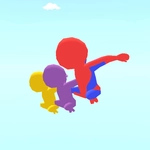
📝Skoo Control Overview
One wrong twitch and Skoo's splattered—guide the little creature through deathtraps with mouse or keyboard.
💬What is Skoo Control?
Skoo Control throws you into a series of single-screen obstacle courses where one misclick sends you back to the start. The controls feel simple at first—mouse to guide, keyboard to nudge—but the level design quickly demands pixel-perfect pathing. I spent ten minutes on the third stage alone because a rotating gear kept clipping Skoo's tail. The hitboxes are fair, though, so every death feels like your fault, not the game's.
That's the hook: instant restarts. No long loading screens, no lives system, just a quick respawn and the same tempting corridor staring back at you. Each stage introduces a new hazard—spikes, moving platforms, crumbling blocks—and by the halfway point you're weaving through combinations that make you hold your breath. It's not a long game, maybe an hour if you're sharp, but replaying to shave off seconds becomes its own mini-obsession.
What I like most is that the game respects your time. You can close it after five frustrating attempts or grind the same level until your hands steady. The keyboard controls give you finer taps than the mouse click, but switching between the two feels natural on the fly. If you enjoy tight adventure-puzzle hybrids that punish sloppiness without being unfair, this one's worth a run.
👥How to Play Skoo Control
Mouse or Keyboard
✨Game Tips
Tap the keyboard lightly; holding arrows too long sends Skoo sliding into walls.
🔧FAQ
Q: Is Skoo Control free to play?
A: Yes, it runs right in your browser with no payment or account needed.
Q: Do I need to download anything?
A: No downloads or installs required. Just open the page and start clicking.
Q: Can I play Skoo Control on mobile?
A: It works on most mobile browsers, but a keyboard gives you much finer control.
Q: What are the controls for Skoo Control?
A: You can use either mouse clicks or arrow keys/WASD depending on what feels better.
Q: Is there a time limit on each level?
A: No strict timer for most stages, though some bonus challenges may add one.
Q: How do I restart a level quickly?
A: Press the R key or refresh the page to respawn instantly without any penalty.