
Slice Cut It
Play Count0
Published2021-05-18
Supported DevicesPC
CategoryAdventure & RPG
Rating★★★★★5.0Rate this game
📝Slice Cut It Overview
Steady your mouse and bite your tongue — one sloppy slice in Slice Cut It sends the whole 3D object tumbling. Can you shave it down to the target percentage?
💬What is Slice Cut It?
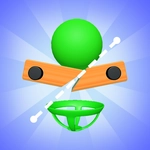
You ever get that weird satisfaction from slicing a perfect piece of cheese? Slice Cut It bottles that feeling and turns it into a precision puzzle that'll have you holding your breath. Each level drops a chunky 3D solid in front of you — a cube, a weird prism, sometimes a shape that looks like a Tetris piece gone wrong. A ghost outline or a percentage shows what's left. You drag a blade through. The cut plane slices, the extra piece falls away, and you see if the remaining block matches. There was a level where the target was 33% and I kept getting 31 or 35. I finally realized that starting the cut a few millimeters off the edge changes the angle just enough to hit the sweet spot. That little aha moment is why I kept coming back.
There's no countdown, so you can line up the blade, zoom in a little, and breathe. But don't get too comfortable — some shapes are designed to punish greed. One overconfident swipe and you've carved off a chunk you can't glue back. The physics feel honest: a thin sliver falls slowly, a big slab drops with a thud. It's oddly calming until it's not. I found myself resetting levels not out of frustration but because I wanted to see the exact clean cut.
Underneath the chill vibe is a serious test of spatial reasoning. The 3D camera spins with a slight lag that makes every slice feel weighty. I'd recommend a mouse over a trackpad because jerk movements leave jagged edges, and jagged edges never look right. If you enjoy games where the difference between victory and defeat is a single degree of rotation, this one will eat your afternoon.
👥How to Play Slice Cut It
Slice to play.
✨Game Tips
Watch the target percentage before you cut; it tells you exactly how much to remove.
Angle your slice slightly to shave off thin pieces instead of hacking big chunks.
Sometimes cutting from a corner works better than a flat side cut.
If a cut feels risky, reset the level — no penalty for retrying.
Keep your mouse movement smooth; jerky drags create jagged cuts.
Try zooming the camera to line up the blade with the ghost outline.
🔧FAQ
Q: Is Slice Cut It free to play?
A: Yes, it’s completely free in your browser — no hidden paywalls or premium levels.
Q: Can I play Slice Cut It on mobile?
A: The game runs in any modern browser, but precise slicing works best with a mouse or touchscreen.
Q: Do I need to download an app or plugin?
A: No, just open the page and start slicing. It’s HTML5 so nothing to install.
Q: What if I make a bad cut?
A: Hit the reset button before or after cutting, and the level reloads instantly without losing progress.
Q: Are there many levels in Slice Cut It?
A: The game has dozens of hand-crafted levels, with shapes getting trickier as you go.
Q: Does my progress save automatically?
A: Your best scores and completed levels save in your browser, so you can pick up where you left off.