
Small Viking
Play Count0
Published2021-12-27
Supported DevicesPC
CategoryAdventure & RPG
Rating★★★★★5.0Rate this game
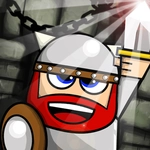
📝Small Viking Overview
A tiny warrior with a big axe gets thrown into a frozen puzzle world where every step shifts the entire map.
💬What is Small Viking?
The first time I sent my little viking tumbling off a ledge because I rotated the entire level instead of just turning him around, I knew this wasn't a typical platformer. You don't just jump and run here—you twist the whole world. Left and right move your bearded hero, but the up and down arrows spin the screen ninety degrees, turning walls into floors and floors into sheer drops. It sounds simple until you're three rotations deep and can't remember which way gravity is pointing anymore.
Small Viking leans hard into that disorientation as its main puzzle. Each level is a tight series of frozen platforms and spiked gaps that only make sense from the right angle. I caught myself rotating the screen back and forth just to scout a safe route, watching the little guy cling to whatever surface became the new 'down'. There's no timer, so the pressure is purely mental—planning your spins before you take a single step. One wrong rotation and your viking slides into a pit, but it never feels unfair, just like you forgot to check the ceiling before it became your floor.
What kept me coming back was how quickly the levels escalate. Early on it's just one or two spins to reach a door. Later, you'll have to sequence four or five rotations mid-walk, pausing with the P key to breathe and reorient. The pixel art is charming without being distracting, and the animation of the tiny viking's axe bouncing as he moves adds just enough personality. If you enjoy puzzle platformers that mess with your spatial reasoning, Small Viking delivers that satisfying 'aha' when a layout finally clicks—right before the next screen flips everything sideways again.
👥How to Play Small Viking
Left= Move Left - Right= Move Right - Down= Rotate Screen Right - Up= Rotate Screen Left - P= Pause
✨Game Tips
Angle the rotation before moving so you don't accidentally walk off a cliff.
Use the pause button (P) when you need a second to plan your next rotation.
Keep track of which way "down" will be after a turn—it changes faster than you expect.
Sometimes the shortest path isn't safe; test a single step after each spin.
Watch for ledges that become floors when the camera flips.
Don't spam rotations—small adjustments keep the viking's footing stable.
🔧FAQ
Q: Is Small Viking free to play?
A: Yes, it's completely free in your browser with no downloads or hidden fees.
Q: Can I play Small Viking on mobile?
A: It works on most mobile browsers, but the rotation controls are best with keyboard arrows.
Q: Do I need to download anything to play?
A: No, just open the game page and it runs instantly—no install required.
Q: How do I rotate the screen in Small Viking?
A: Use the up arrow to rotate left and the down arrow to rotate right. Left/right arrows move the viking.
Q: Is there a pause button?
A: Yes, press P on your keyboard to pause the game when you need to plan your next move.
Q: Does Small Viking work on a Chromebook?
A: It should run fine on any device with a modern web browser, including Chromebooks.