
Smart Number
Play Count0
Published2020-12-11
Supported DevicesPC + Mobile
CategoryKids & Educational
Rating★★★★★5.0Rate this game
📝Smart Number Overview
Tap, count, and giggle your way through a colorful number wonderland where every correct touch pops with juicy, rewarding animations.
💬What is Smart Number?
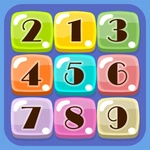
I booted up Smart Number half-expecting another dreary flashcard clicker, but my preschooler latched onto it within seconds. The screen fills with big, chunky digits that wobble when you hover over them. Tap a number and it pops with a satisfying squish—like bubble wrap combined with a confetti canon. The whole thing feels less like a lesson and more like a toy.
What surprised me most is the language toggle tucked into the corner. Switch to Spanish, French, or a handful of other options and every number is read aloud in that language. It's not just text changing; the voiceover swaps too. A kid can tap the number five, hear "five" in English, then flip to French and hear "cinq" with the same cheerful tone. The game doesn't scold wrong taps either. It just wiggles the correct number a little brighter until you try again. That's huge for toddlers who hate being told no.
There are a few mini activities sprinkled between free tapping sessions—counting apples, matching groups to digits, popping the number that matches the spoken word. It's simple, but that's exactly what young brains need. The mouse control works perfectly for desktop, and the touchscreen support means it's just as good on a tablet or phone. It's not trying to be a full curriculum; it's a five-minute warm-up that makes numbers feel friendly. I'll keep it bookmarked for the next time I need a quiet waiting-room win.
👥How to Play Smart Number
Touchscreen mouse control juicy graphics and different languages support
✨Game Tips
Flip on the language toggle early—kids pick up foreign number sounds like little sponges.
Don't rush the tapping; each number has a pop animation that's worth waiting for.
Let mistakes happen. The correct number glows brighter each wrong tap, turning frustration into discovery.
Try matching mode on mobile; touchscreen taps feel snappier than mouse clicks.
Keep the volume on. The voiceover pronunciation is clear and surprisingly charming.
🔧FAQ
Q: Is Smart Number free to play?
A: Yes, it runs right in your browser with no payments or sign-ups.
Q: Can I play Smart Number on a tablet?
A: Absolutely. The touchscreen controls are built in, so it works great on tablets and phones.
Q: Do I need to download anything?
A: No download needed. Just open the page and the game loads instantly.
Q: What ages is Smart Number suited for?
A: It's designed for toddlers and preschoolers, roughly ages 2 to 5.
Q: Does Smart Number support other languages?
A: Yes, there's a language menu with several voiceover options including English and Spanish.
Q: Can my child play Smart Number without reading?
A: Totally. Everything is spoken aloud and visual, so no reading skills are required.