
Space Roll
Play Count0
Published2019-09-06
Supported DevicesPC
CategoryAdventure & RPG
Rating★★★★★5.0Rate this game
📝Space Roll Overview
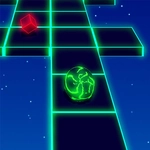
Roll a glowing ball through twisting neon space tunnels, dodging walls and gaps without tumbling into the star-filled void below.
💬What is Space Roll?
You get a ball, a track, and a whole lot of nothing beneath you. Space Roll doesn't overcomplicate things—it just demands steady hands and quick reactions. The track curls, twists, and occasionally drops out from under you, leaving nothing but starfield below. Your only job is to stay on it. Mouse control keeps everything simple: push left, the ball veers left; push right, it follows. But the camera swings unpredictably, sometimes hiding the next hairpin until you're already on top of it. I kept coming back after each fall because restarts are instant and the pace feels fair. There's a moment around the third section where the track narrows to half its width and a gap opens on the right—if you don't commit to the left edge early, you're toast. I learned that the hard way.
The game's look is pure neon space dream: dark void, glowing rails, and a ball that leaves a faint trail behind it. The difficulty ramps up gradually, but it never feels cheap. A few runs in, you start reading the track's subtle cues—like how a sharp left curve briefly dips the camera lower, giving you a split-second warning. That extra awareness turns panicky flailing into controlled drifting. Keep your wrist loose and your mouse sensitivity a touch higher than usual; tiny, precise nudges beat big sweeping motions every time. The ball picks up speed on downhill segments, so learning when to brake (i.e., slow your mouse movement to nearly nothing) is just as important as knowing when to push.
What makes Space Roll stick with me is that it's brutally simple but never boring. Each failure feels like your fault, not the game's, which makes the eventual clean run through a whole segment feel earned. If you enjoy reflex games like Slope or Run 3, this one scratches the same itch but with a space-age polish. It loads fast, plays smooth, and doesn't bombard you with menus or ads before you get rolling. Honestly, the hardest part is putting it down after you say "one more try" for the fifteenth time.
👥How to Play Space Roll
Mouse Control
✨Game Tips
Use tiny, gentle mouse movements near the track edges—oversteering is a guaranteed restart.
Look ahead, not down at the ball; the track's curves telegraph themselves a second before they arrive.
On narrow sections, pick one side and commit. Trying to stay perfectly centered leaves no room for error.
If you're falling, try a quick flick toward the track center—sometimes the game gives a tiny grace window.
Raise your mouse sensitivity slightly so you can react faster without physically throwing your hand across the desk.
Take a short break after a long streak; wrist fatigue causes way more deaths than the obstacles do.
🔧FAQ
Q: Is Space Roll free to play?
A: Yes, it's completely free. No paywalls or locked levels.
Q: Can I play Space Roll on mobile?
A: It works on mobile browsers, but mouse control gives you far better precision. Touch works if you're careful.
Q: Do I need to download anything to play?
A: No downloads. It runs directly in your browser as an HTML5 game.
Q: Is Space Roll unblocked at school?
A: This unblocked game directory version bypasses most school or office network filters.
Q: What's the main goal in Space Roll?
A: Stay on the glowing track as long as possible. The track bends, narrows, and drops away—do not fall.
Q: Does the game need a specific type of mouse?
A: Any standard mouse works. A gaming mouse with adjustable DPI helps, but it's not required at all.