
Space Rover
Play Count0
Published2026-03-26
Supported DevicesPC
CategoryAdventure & RPG
Rating★★★★★5.0Rate this game
📝Space Rover Overview
Tame a low-gravity alien landscape in a six-wheeled rover that flips, boosts, and grinds over craters.
💬What is Space Rover?
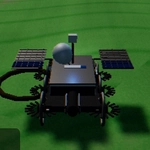
The first time I hit SHIFT on a downhill slope, the rover launched off a dune and did a full barrel roll before sticking the landing. That's the moment I knew this wasn't just another test drive. Space Rover drops you behind the wheel of a chunky six-wheeled vehicle on an endless low-gravity alien planet. There's no timer, no checkpoint, no mission nagging at you. Just you, the terrain, and a surprisingly capable set of controls.
The handling feels heavy in a good way—each wheel seems to grab the dirt individually, so you'll feel the weight shift when you turn too sharply. The low gravity is the star here. You can crest a ridge at speed and float for a few extra meters, which is both exhilarating and a little terrifying when you realize you're heading for a steep drop. I spent twenty minutes just trying to climb one particular crater wall, alternating between the nose cam and the wide chase cam to judge clearance. The C key camera switch is genuinely useful, not a gimmick; the first-person view gives you a real sense of leaning over the edge, while the chase cam helps with wheel placement on rocky sections.
When things go wrong—and they will—the R key resets the rover instantly, no loading screen, no penalty. Brake lock (SPACE) is a lifesaver for parking on an incline while you scout a route. The boost is powerful but not unlimited; overusing it on a climb often sends you tumbling backward. I learned that the hard way after a half-hour of exploring a canyon. The game runs smooth in a browser, even on modest hardware, which makes it a great pick for a quick break. It's the kind of sandbox that rewards curiosity over speed. You can crawl along cliff edges, test how far a full boost jump goes, or just cruise and enjoy the weird, rusty sky. There's no story or progression—just pure, physics-driven driving. That might sound thin, but the moment-to-moment feel is so tactile that I kept coming back to shave seconds off my favorite jump line.
👥How to Play Space Rover
W / Arrow Up — Drive
S / Arrow Down — Brake / Reverse
A / D — Steer Left / Right
SHIFT — Boost / Nitro
SPACE — Brake Lock
C — Switch Camera
R — Reset Rover
✨Game Tips
Use SHIFT sparingly on steep climbs; too much boost can flip you backward.
Brake lock (SPACE) holds you steady while you line up a jump or take a screenshot.
Switch to the chase cam with C when navigating narrow passes—it gives a better view of your wheels.
If you're stuck on your side, don't fight it—just tap R to reset instantly.
Reverse slowly with S when you need to untangle from a rock; full reverse often just digs you in deeper.
Experiment with low-speed crawling over craters; momentum is useful but not always your friend.
🔧FAQ
Q: Is Space Rover free to play?
A: Yes, it's completely free in your browser. No account or download required.
Q: Do I need to install anything?
A: No. It runs on HTML5, so just open the page and play instantly.
Q: Can I play Space Rover on mobile?
A: It's designed for keyboard controls, so desktop or laptop is best. Mobile touch support is limited.
Q: What if my rover flips over?
A: Tap the R key to reset the rover to its wheels instantly. No restart needed.
Q: Are there levels or missions?
A: No, it's a free-roam sandbox. Explore, drive, and do stunts at your own pace.
Q: Does the game save my progress?
A: There's no progression system, so nothing to save. Just jump in and drive.