
Space Runner
Play Count0
Published2020-10-14
Supported DevicesPC
CategoryAdventure & RPG
Rating★★★★★5.0Rate this game
📝Space Runner Overview
Dodge neon asteroids and plasma walls as you sprint across the cosmos in this breakneck 3D runner.
💬What is Space Runner?
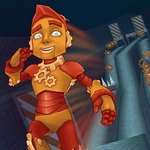
Space Runner drops you into a sleek, low-poly corridor somewhere between Mars and Jupiter, and the speed hits you immediately. You're not running on a track—you're gliding through a starlit tunnel where the floor shifts under your feet. WASD steers your character left and right, and SPACE launches a jump that feels weightless but snaps back fast enough to punish mistimed leaps. I died four times in the first minute because I kept staring at the asteroid textures instead of the gap ahead. That's the hook: the game looks simple, but the obstacles have a rhythm, and once you lock into it, you stop thinking about buttons and just flow.
The 3D presentation is what separates this from a hundred other endless runners. Your character actually leans into turns, the camera swings slightly when you strafe, and the walls pulse with a soft glow that warns you when a barrier is closing in. One moment that stuck with me: I threaded a gap between two spinning rings, hit SPACE at the last possible frame, and landed just as a red laser swept across where my head had been. The near-miss felt earned, not scripted. The game doesn't hold your hand—no tutorial pop-ups, no slow-mo assists—just a clean HUD with your score ticking up and a distance marker that mocks you after every wipe.
You'll unlock new characters by racking up distance, though I never got far enough to see more than the default runner. The replay loop is tight: fail, respawn instantly, try the same section again. It's the kind of game you open for five minutes during lunch and then look up to realize you've been dodging asteroids for an hour. No story, no upgrades—just your reflexes against the void. And honestly, that's exactly what I wanted.
👥How to Play Space Runner
WASD and SPACE
✨Game Tips
Tap SPACE earlier than feels comfortable—the jump has a slight delay before lift-off, so overcorrect for tight obstacles.
Keep your eyes on the far end of the corridor instead of your character; the obstacles telegraph their positions about two seconds ahead.
Use strafe (A/D) in short bursts, not continuous taps—your runner gains slight momentum that can carry you into a wall.
When you see alternating high and low barriers, jump over the low ones but strafe through the high ones if there's a gap at the sides.
Save your jump for actual obstacles; the floor is stable unless you see a glowing crack, so don't waste hops on flat sections.
If you're about to hit a wall, let go of all keys for a split second—the runner automatically recenters to the middle lane.
🔧FAQ
Q: Is Space Runner free to play?
A: Yes, it's completely free on our site with no hidden paywalls or energy timers.
Q: Can I play Space Runner on my phone?
A: The game supports touch controls on mobile, but WASD+SPACE on a keyboard works best for precision.
Q: Do I need to download anything to play Space Runner?
A: No download needed—it runs in your browser as HTML5, just click and play.
Q: Does Space Runner save my high score?
A: Your best distance is saved locally in your browser, but clearing cache will reset it.
Q: Are there any unlockable characters in Space Runner?
A: Yes, you unlock new runner skins by reaching distance milestones, but the default runner works fine.
Q: Why does my character sometimes slide after I release a key?
A: The game has a slight momentum system—tap the opposite direction once to cancel the slide.