
SpongeBob Coloring Adventure
Play Count0
Published2024-04-10
Supported DevicesPC + Mobile
CategoryKids & Educational
Rating★★★★★5.0Rate this game
📝SpongeBob Coloring Adventure Overview
Grab your virtual crayons and bring Bikini Bottom's goofiest faces back to life one satisfying click at a time—no mess, just pure color.
💬What is SpongeBob Coloring Adventure?
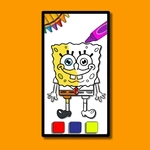
I'll admit it—coloring games usually aren't my thing. But there's something weirdly satisfying about seeing SpongeBob's porous yellow head turn from blank white to perfect sunshiny yellow with one click. This isn't some complex platformer or twitchy shooter. It's a chill, click-to-fill art session starring the whole Bikini Bottom crew: SpongeBob, Patrick, Squidward, Sandy, even Gary if you're lucky.
The setup is dead simple. You pick a black-and-white outline from a row of SpongeBob scenes, then a palette of colors sits off to the side. Click a color, click a region, and it fills instantly. No dripping outside the lines—the game handles that for you. That's the 'aha' moment I keep coming back to: you can slam colors into the tiniest details like SpongeBob's pores or Squidward's nose without any precision panic. It's almost meditative. I found myself deliberately picking ugly color combos just to see Patrick in neon green, and honestly? Still looked great.
If you've got a kid who loves SpongeBob, this is a no-brainer for a quiet afternoon. Even if you don't, it's a decent way to kill ten minutes while your brain cools down. The only downside is that some of the smaller sections can be fiddly on a touchscreen, but with a mouse it's smooth sailing. Give it a shot—worst case, you end up with a purple SpongeBob and no real regrets.
👥How to Play SpongeBob Coloring Adventure
Mouse to play.
✨Game Tips
Start with the biggest background areas first to get a feel for how colors lay down before tackling tiny details.
Use the undo button generously—there's no penalty for experimenting with wild color combinations.
If a region won't fill, check that you haven't missed a tiny adjacent section still white.
Save your finished pages mentally or screenshot them; the game doesn't auto-save your masterpieces.
Try coloring SpongeBob's nose blue and Patrick's head green at least once. It's weirdly freeing.
On mobile, pinch or use the zoom controls if available to hit small spots without fat-fingering the wrong area.
🔧FAQ
Q: Is SpongeBob Coloring Adventure free to play?
A: Yes, it's completely free and runs right in your browser with no hidden payments.
Q: Can I play SpongeBob Coloring Adventure on my phone or tablet?
A: Yes, it works on most mobile browsers, though a mouse or stylus makes small sections easier.
Q: Do I need to download or install anything?
A: No downloads needed. Just open the page and start coloring immediately.
Q: Is this game safe for young kids?
A: Absolutely. There's no violence, ads are minimal, and every character is kid-friendly.
Q: Does it include all the SpongeBob characters?
A: It features many main characters like SpongeBob, Patrick, Squidward, and Sandy, though not every side character.
Q: Can I save or print my finished coloring page?
A: The game doesn't have a built-in save, but you can screenshot your work to keep or print it.