
Squidly Game: 123, Stop
Play Count0
Published2021-10-20
Supported DevicesPC + Mobile
CategoryAdventure & RPG
Rating★★★★★5.0Rate this game
📝Squidly Game: 123, Stop Overview
Freeze exactly when the giant doll turns around, then sprint like your life depends on it—because in this 3D twist on Red Light Green Light, it absolutely does.
💬What is Squidly Game: 123, Stop?
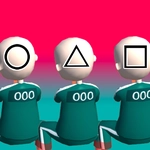
I don't know who decided that a children's game needed a lethal twist, but Squidly Game: 123, Stop absolutely nails the tension. You're dropped into a massive 3D arena with a creepy doll at the far end. When she sings her little rhyme, you can move forward. The moment her head snaps back, you have to be completely still. Any tiny twitch and you're done. Mouse controls the camera and keyboard moves your character, and the whole thing feels surprisingly polished for a browser game.
My first real run ended in the dumbest way possible. I got cocky near the halfway mark, leaned forward to peek around a low wall, and my character's hand shifted half a pixel. The doll's head whipped around like a hawk spotting a mouse and I was eliminated before I even registered what happened. That's the kind of detail that makes this game stick with you. Momentum matters too—if you're sprinting and try to stop on a dime, your character slides forward an extra step. You'll learn to feather the movement keys, tapping lightly instead of holding them down, because any heavy press sends you drifting into disaster.
The 3D visuals are crisp for a free online game, and the sound design does a lot of heavy lifting. The song gets under your skin after a few rounds, and you'll start tensing up before the doll even turns. It's not a complex game—one rule, one goal—but the anxiety it creates is weirdly addictive. I kept coming back just to shave a few more meters off my time, swearing I'd stop after one more attempt. I didn't.
👥How to Play Squidly Game: 123, Stop
Use Mouse To Play and Keyboard
✨Game Tips
Tap movement keys instead of holding them; short bursts give you way more control when the doll turns.
Watch the doll's head, not her eyes—she tilts slightly before the full turn, giving you a split-second warning.
Use the mouse to check side angles without moving your character's body.
Don't sprint the last stretch; stop early and creep, because the finish line only counts if you're frozen when she looks.
If the song's tempo starts to slow, that's your cue to stop immediately.
Crouching can hide you behind low obstacles, but it also makes your next start slower.
🔧FAQ
Q: Is Squidly Game: 123, Stop free to play?
A: Yes, it's completely free with no hidden charges or paywalls.
Q: Do I need to download anything to play Squidly Game: 123, Stop?
A: No download needed. It runs directly in your web browser.
Q: Can I play Squidly Game: 123, Stop on mobile?
A: It works on most mobile browsers, but keyboard and mouse give the best control.
Q: What are the controls for Squidly Game: 123, Stop?
A: Use WASD or arrow keys to move, and move the mouse to look around. Stop all input when the doll turns.
Q: Why does my character get eliminated even when I think I stopped?
A: Any movement, including sliding from momentum or camera panning, counts as moving. Freeze completely.
Q: Is Squidly Game: 123, Stop safe for kids?
A: The game has no graphic violence, but the tension and elimination mechanic might be intense for very young players.