
STACK BLOCK
Play Count0
Published2023-02-09
Supported DevicesPC + Mobile
CategoryAdventure & RPG
Rating★★★★★5.0Rate this game
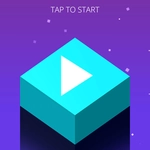
📝STACK BLOCK Overview
A single misaligned block can send dozens of carefully placed pieces crashing down. Stack Block demands perfect timing and a steady hand.
💬What is STACK BLOCK?
Forget complicated quests. Stack Block gives you one goal: drop blocks on top of each other without knocking the whole column over. The blocks shift back and forth across a narrow platform, and you click or tap to release them at exactly the right moment. Sounds simple? Sure. Surviving past twenty floors? Not so much. The first few drops feel almost too easy, lulling you into a false sense of confidence. Then the base starts to look awfully small.
Each block you drop has the same size as the one below it, but if your timing is even slightly off, the overhanging piece slices off and disappears. That shrinks your landing area for the next block, which means every mistake compounds fast. I had a run where I cruised to floor twelve without issue, then missed by a hair and spent the next three floors trying to recover on a sliver of real estate. The camera tilts slightly as the tower grows, which adds a subtle but effective tension. You can play with a mouse—just click to drop—or use keyboard keys to fine-tune your release, though honestly the mouse feels most natural.
There's no timer beyond the moving block's own rhythm, so you can breathe between drops but never rest. The minimalist 3D look keeps the focus on precision, and the collapsing animation when you fail is oddly satisfying. Stack Block is the kind of game you load up for a two-minute break and end up playing for twenty. It's not flashy, but it gets its hooks into you.
👥How to Play STACK BLOCK
Use Mouse To Play and Keyboard
✨Game Tips
Release the block just before it reaches the edge closest to the tower's center, not exactly when it's centered.
Focus on the block's shadow on the platform below; it shows precisely where the drop will land.
After a bad cut, don't panic—slow down and aim for the largest remaining section of the base.
If you're using keyboard, tap the key rather than holding it to avoid overshooting.
Watch the speed change: certain levels speed up the moving block, so adjust your timing early.
Don't stare at the whole tower; zoom your vision onto the top two blocks only.
🔧FAQ
Q: Is Stack Block free to play?
A: Yes, it's completely free and runs right in your browser without any paywalls.
Q: Can I play Stack Block on mobile?
A: Absolutely. The game works on touch screens; just tap to drop blocks.
Q: Do I need to download anything to play?
A: No downloads needed. It loads instantly as an HTML5 game.
Q: What are the controls for Stack Block?
A: Use the mouse to click and drop, or use keyboard keys if you prefer fine-tuned control.
Q: Does Stack Block require an internet connection?
A: Yes, you need to be online to load the game, but there are no ads or interruptions.
Q: Is Stack Block suitable for all ages?
A: Definitely. There's no violence or inappropriate content; it's all about spatial precision.