
Stack Tower Pro
Play Count0
Published2026-02-19
Supported DevicesPC + Mobile
CategoryAdventure & RPG
Rating★★★★★5.0Rate this game
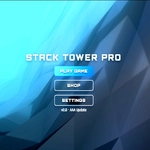
📝Stack Tower Pro Overview
Can you stack a tower so tall the camera has to zoom out to fit it? Tap at the perfect moment and don't look down.
💬What is Stack Tower Pro?
The moment the moving block hovers over the tower, everything else disappears. You're locked in, thumb hovering, waiting for that tiny overlap where the edges line up. Stack Tower Pro is all about that split-second decision. Tap too early and the block hangs off, shearing away into a useless sliver. Tap too late and the tower shrinks. It's brutal, simple, and weirdly addicting.
Unlike some stacking games that punish you for a millimeter of overhang, Stack Tower Pro trims off the excess after every drop. That means one sloppy tap doesn't end the run — it just makes the next block smaller. And smaller. And smaller. That's where the pressure comes from. You'll watch your once-roomy platform shrink to the size of a postage stamp while the next block swings back and forth like it's taunting you. I've reset runs over a 2% misalignment just because I knew the next block would be impossible.
Between runs, you can duck into the shop and spend coins on power-ups that slow the block down or give you a second chance when you screw up. I honestly avoid them at first because they feel like cheating, but after the tenth reset on the same tower height, I caved. The 3D camera slowly pulls back as you climb, which is a nice touch — you get a real sense of altitude without any nauseating zoom. Stack Tower Pro doesn't reinvent anything, but it nails the one thing these games need: that perfect drop feels earned, and the failure is always your fault.
👥How to Play Stack Tower Pro
Tap / Click: Drop the block at the perfect moment.
Navigate Menus: Use mouse or touch to access the Shop, Settings, and Power-ups.
✨Game Tips
Aim for the center of the previous block, not just the edge — a tiny overhang still counts as a clean drop.
Wait for the block to change direction right above the tower; the pause makes timing easier.
If the platform gets too small, don't chase perfect drops — any drop that keeps the block from falling off is a win.
Coins from near-perfect drops add up fast, so save them for the slow-down power-up rather than cosmetics.
Don't restart after a bad trim; a smaller tower can actually be easier to stack in the middle of a run.
🔧FAQ
Q: Is Stack Tower Pro free to play?
A: Yes, it's completely free in your browser with no download or sign-up required.
Q: Can I play Stack Tower Pro on mobile?
A: Yes, the tap controls work great on touchscreens and the game runs in any modern mobile browser.
Q: Do I need to download anything to play?
A: No, it's an HTML5 game that loads instantly in your browser.
Q: What happens if I drop a block off-center?
A: The overhanging part gets cut off and the next block becomes smaller, making the game harder.
Q: Are there power-ups in Stack Tower Pro?
A: Yes, you can buy power-ups with in-game coins to slow the block or get extra chances.
Q: Can I change the look of my tower?
A: The game includes a shop where you can spend coins on different visual themes or tower skins.