
Steve Go kart Portal
Play Count0
Published2022-04-07
Supported DevicesPC + Mobile
CategoryAdventure & RPG
Rating★★★★★5.0Rate this game
📝Steve Go kart Portal Overview
Rocket through twisting portals in a go-kart that absolutely refuses to stay on four wheels.
💬What is Steve Go kart Portal?
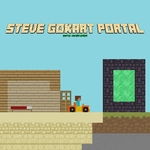
I wasn't expecting much from a go-kart game with 'Steve' in the title, but the moment I hit the first portal and the screen twisted like someone wringing out a towel, I was sold. You're driving a blocky little kart through a series of floating platforms, ramps, and glowing gateways that flip your whole perspective. The controls are dead simple: A to stop, W to jump — and yes, you can jump twice, which is the only reason half these gaps are even possible. On mobile it's just touch, no buttons to hunt for.
There's one section where a wall of fire chases you, and the only way through is a triple portal chain that dumps you upside down on a ceiling track. I died seven times before my fingers finally remembered the double jump timing. Getting that second jump right is everything — too early and you clip the portal edge, too late and you're toast. The kart handles like it weighs about as much as a shopping cart, so every landing feels slightly out of control until you learn to brake into turns.
It's not a long game, but it's a tight little adrenaline loop. If you like Portal but wished it had more engine noise and less existential dread, this scratches that itch. The blocky visuals give it a Minecraft-meets-arcade vibe, and honestly the jank is part of the charm. Don't come expecting realism — come expecting to laugh, curse, and hit restart more times than you'd admit.
👥How to Play Steve Go kart Portal
PRESS "a" KEY to stop.
press the "w" key to jump.
You can jump twice.(double jump)
mobile touch control
✨Game Tips
Master the double jump before you worry about speed — that extra airtime is your escape hatch.
Brake early on the ice sections; stopping distance is way longer than it looks.
Watch for portal edges glowing slightly before they activate, that's your cue to steer.
On mobile, hold the jump button a beat longer for a higher second jump.
If you're stuck, try reversing into a portal — some routes only open from the back.
Don't fight the camera; it swings around for a reason, usually to show you a hidden platform.
🔧FAQ
Q: Is Steve Go kart Portal free to play?
A: Yes, it's completely free in your browser, no payment required.
Q: Can I play Steve Go kart Portal on my phone?
A: Yes, the mobile touch controls work on most modern phones and tablets.
Q: Do I need to download anything to play?
A: No download needed. It runs directly in your web browser as an HTML5 game.
Q: What are the keyboard controls?
A: Press W to jump (double jump by pressing again) and A to brake or stop.
Q: Is Steve Go kart Portal unblocked at school?
A: It's designed to be unblocked, but some school networks may still filter it. Try a different browser if needed.
Q: How hard is Steve Go kart Portal?
A: It starts easy but gets tricky fast, especially the portal chains. Expect to retry a lot.