
Steveminer Home
Play Count0
Published2022-04-06
Supported DevicesPC + Mobile
CategoryAdventure & RPG
Rating★★★★★5.0Rate this game
📝Steveminer Home Overview
One wrong step sends you tumbling into the void, but a well-timed double jump and a quick tap on A are all that stand between you and home.
💬What is Steveminer Home?
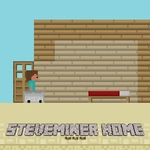
Steveminer Home drops you into a blocky side-scroller that feels like someone took the best bits of a mining sandbox and stretched them across a brutal platforming gauntlet. You're not building a mansion here; you're fighting to survive each screen, hopping over crumbling blocks, squeezing past lava falls, and using that double jump like it's your lifeline. The controls are minimal—W to jump, tap it again mid-air for the second jump, and A to stop dead. That stop command sounds useless until you're sliding toward a pit and need to lock your feet on the last solid block. The game rewards patience over speed, which I learned after trying to rush a section with three consecutive one-block gaps and eating dirt every single time.
The real pain kicks in around the floating island chains. The blocks under your feet have a habit of vanishing a second after you land, so you can't just stand there admiring the scenery. I remember one stretch where I had to double jump over a lava pool, then immediately tap A to halt my momentum, because the next platform was only two blocks wide. If you miss that stop, you're gone. Mobile touch controls make the double jump a bit easier to trigger, but the stop command takes practice on a screen, since you have to hit the A button mid-motion while still keeping your thumb near W. It's the kind of game that makes you lean forward in your chair, and when you finally chain a series of jumps without dying, you feel like you've earned a degree in block physics. Just don't expect to get home on your first dozen attempts—the game knows you're coming, and it stacked every possible trap in your path.
👥How to Play Steveminer Home
PRESS "a" KEY to stop.
press the "w" key to jump.
You can jump twice.(double jump)
mobile touch control
✨Game Tips
Treat the A key like a brake: tap it the instant you touch down on a narrow block so you don't slide off.
Save your double jump for the second half of a long gap; using it too early leaves you with no way to recover.
On mobile, keep your left thumb hovering over both W and A so you can stop mid-jump without shifting your grip.
Vanishing blocks don't care about your feelings—plan your next move before you land, not after.
Don't hold W; a quick tap gives you more control than a full press, especially on small platforms.
🔧FAQ
Q: Is Steveminer Home free to play?
A: Yes, it's completely free in your browser—no payment or subscription needed.
Q: Can I play Steveminer Home on my phone?
A: Absolutely. The game has touch controls built in, so mobile works fine.
Q: Do I need to download anything to play?
A: No downloads. It runs in any modern web browser as an HTML5 game.
Q: What are the controls for Steveminer Home?
A: Press W to jump (tap again mid-air for double jump) and A to stop. On mobile, use the on-screen buttons.
Q: Is Steveminer Home unblocked for school?
A: This version is unblocked and works on most networks without any special setup.
Q: How hard is Steveminer Home?
A: It's challenging but fair—expect to retry jumps a few times before you get the rhythm.