
Stick To It!
Play Count0
Published2022-07-11
Supported DevicesPC + Mobile
CategoryAdventure & RPG
Rating★★★★★5.0Rate this game
📝Stick To It! Overview
Draw your own path across impossible gaps, then jump before the ink fades – that's the loop that keeps Stick To It! dangerously fun.
💬What is Stick To It!?
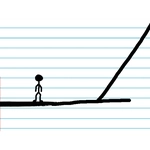
Stick To It! takes the simple act of drawing a line and turns it into a tense, creative survival tool. You're a little stick figure (the name gives it away) stranded across floating platforms, and the only way forward is to sketch your own bridges. I kept drawing sloppy ramps that collapsed under my own jump, which is hilarious and infuriating in equal measure. The mouse drawing feels loose on purpose; you'll need to trace carefully or you'll waste whatever limited ink you have on a wobbly mess that drops you into the void.
The game splits each level into phases, and you can view the whole map by pressing the number keys – 1 through 4 – to plan your route before committing any lines. That's actually the smartest thing to do, because once you see the next phase, you'll realize you could've saved half your ink instead of overdrawing a fat bridge where a thin line would do. Resetting is painless with P for the current phase or L for the entire level, so experimentation doesn't punish you too hard.
What hooked me was the moment I stopped treating it like a platformer and started treating it like a puzzle. Draw a tiny ledge, hop onto it, erase it by redrawing, repeat. The timing of Space jumps matters just as much as the shape you draw. It's one of those games where you'll mutter "one more try" because the solution is always just one cleaner line away.
👥How to Play Stick To It!
- WASD to move
- Space to jump
- Mouse to draw
- P to reset current Phase
- L to reset current Level
- 1, 2, 3, 4 to view the corresponding phase's map
✨Game Tips
Use the number keys (1-4) to scout the full map before drawing anything – it saves ink and reveals shortcuts.
Press P to reset only the current phase if your line is slightly off, instead of redoing the whole level with L.
Draw thin, short lines right at the edge of platforms; thick bridges waste ink and can bounce you unexpectedly.
Jump (Space) slightly before your drawn line finishes fading – lingering too long means it disappears under your feet.
If you're stuck on a phase, try drawing a small step midway instead of one long ramp; it's easier to control momentum.
🔧FAQ
Q: Is Stick To It! free to play?
A: Yes, it's completely free in your browser with no hidden costs.
Q: Can I play Stick To It! on mobile?
A: The game uses keyboard and mouse drawing, so mobile play is not recommended.
Q: Do I need to download anything to play Stick To It!?
A: No downloads – it runs right in your web browser as an HTML5 game.
Q: What are the controls for Stick To It!?
A: WASD to move, Space to jump, mouse to draw, P to reset phase, L to reset level, and number keys 1-4 to view maps.
Q: Why did my drawn platform disappear?
A: Drawn lines are temporary and fade after a few seconds, so you must jump quickly after drawing.
Q: How many levels does Stick To It! have?
A: The game has multiple levels split into phases, but the exact total varies by version.