
Stone Smacker
Play Count0
Published2021-07-12
Supported DevicesPC + Mobile
CategoryAdventure & RPG
Rating★★★★★5.0Rate this game
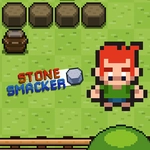
📝Stone Smacker Overview
Swing first, ask questions never — Stone Smacker throws you into a crumbling quarry where every rock hides a threat and your spacebar is the only law.
💬What is Stone Smacker?
You start Stone Smacker with nothing but a rusty swing and a bad attitude. The world is a maze of stone corridors and open pits, filled with boulders that crack open to reveal gems, bugs, or something with teeth. The loop is simple: walk up to a stone, hit spacebar, and watch it shatter — but timing matters. Smack too early and you whiff, too late and the stone rolls into you. I kept getting greedy, trying to chain three or four smacks in a row, and that's when the smaller rock creatures would swarm. It's that push-your-luck tension that kept me playing past my intended five minutes.
Controls are straightforward on desktop: WASD moves, spacebar attacks, and the game supports a gamepad if you have one lying around. On mobile, touch buttons appear on screen, which work fine but lack the snappy feel of a keyboard. One detail I appreciated: the screen shakes just slightly on a successful smack, and the stone chunks scatter with actual physics. You can use that to your advantage — knock a chunk into a gap and it might trigger a chain reaction that clears a whole wall. I once cleared three hidden alcoves with a single well-placed swing and felt like a genius for all of ten seconds before a boss rock rolled over me.
Don't expect a deep story. This is an arcade adventure at heart: explore, smack, collect, survive. The difficulty ramps by throwing more aggressive stone enemies and tighter spaces. If you die, you restart the current area, which stings but never feels unfair. It's the kind of game you'd pull up during a break and lose half an hour to without realizing.
👥How to Play Stone Smacker
On Desktop:
W-A-S-D to Move.
Spacebar to Attack.
* Gamepad Compatible
On Mobile Devices:
Touch Screen Buttons
✨Game Tips
Wait for the stone to flash white before you swing — that's the sweet spot for a clean break.
Keep circling while you smack; standing still makes you an easy target for rolling boulders.
Use the screen shake to time your next hit, it's a subtle audio-visual cue most players miss.
On mobile, remap your thumbs mentally to the button positions before a tough area — the on-screen buttons can drift.
A gamepad makes diagonal movement much smoother for dodging, so plug one in if you can.
Smack the small glowing rocks first, they often drop bombs that clear larger clusters.
🔧FAQ
Q: Is Stone Smacker free to play?
A: Yes, Stone Smacker is completely free with no hidden paywalls or in-game purchases.
Q: Can I play Stone Smacker on my phone?
A: Yes, the game runs in a mobile browser and shows touch controls for moving and attacking.
Q: Do I need to download anything to play Stone Smacker?
A: No download required — Stone Smacker loads directly in your web browser as an HTML5 game.
Q: What are the controls for Stone Smacker on desktop?
A: Use WASD to move and Spacebar to attack. A gamepad is also supported for a smoother experience.
Q: Is Stone Smacker unblocked at school or work?
A: Yes, this unblocked version is designed to bypass common network filters, so it should run anywhere.
Q: Does Stone Smacker need an internet connection?
A: Yes, you need an internet connection to load the game, but once loaded it runs smoothly without high bandwidth.