
StreetBoard
Play Count0
Published2022-11-09
Supported DevicesPC + Mobile
CategoryAdventure & RPG
Rating★★★★★5.0Rate this game
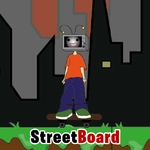
📝StreetBoard Overview
Chain double jumps, dodge rails, and keep your board rolling through a city that wants to wipe you out.
💬What is StreetBoard?
StreetBoard throws you onto a board and immediately tests your timing. It's a side-scrolling platformer where the ground is never level for long—gaps, barriers, and steep drops show up without warning, and your only real tool is a double jump that feels generous at first but punishes you hard if you burn it too early. I spent my first few runs slamming into the same fire hydrant because I kept double jumping the moment I saw a hazard instead of waiting for the actual edge.
What kept me coming back was the rhythm of it. Once you stop panicking and start reading the street like a skater reads a line, the flow clicks. You'll hit a rail grind, pop off the end, double jump over a dumpster, and land clean on a sloping ramp—and for a second you feel untouchable. Then a parked car shows up and you remember the game hates you. That's the fun, honestly.
Mobile touch controls work better than you'd expect, though I still prefer arrow keys for the tight landing corrections. The sound design is minimal but the dust kick when you land a jump is weirdly satisfying. No story, no upgrades, just you and a board against increasingly rude urban infrastructure. Perfect for quick runs, terrible for your ego.
👥How to Play StreetBoard
*Use "wasd" or "arrow keys" to move.
*You can jump twice.(double jump)
*Mobile touch control
✨Game Tips
Save your second jump until you actually reach the gap edge—using it early leaves you with nothing when the drop comes.
On mobile, tap lightly and release quickly to avoid overshooting short platforms; full presses are only for long gaps.
Arrow keys give finer mid-air control than WASD when you need to nudge onto a railing or avoid a low sign.
Don't spam jump right after landing; the game has a tiny recovery window that will eat your input if you're mashing.
Learn to spot cracked pavement and faded paint lines—the game often marks upcoming hazards with subtle ground textures.
If a jump feels impossible, you're probably meant to grind a rail or hit a sloped surface, so look for alternate lines instead of forcing it.
🔧FAQ
Q: Is StreetBoard free to play?
A: Yes, StreetBoard is completely free with no paywalls or required purchases.
Q: Can I play StreetBoard on my phone?
A: Yes, the game supports mobile touch controls and works in mobile browsers.
Q: Do I need to download anything to play StreetBoard?
A: No, it runs directly in your browser as an HTML5 game, no downloads needed.
Q: How do I perform a double jump in StreetBoard?
A: Press jump once while on the ground, then press jump again while in the air to double jump.
Q: What is the goal in StreetBoard?
A: Travel as far as possible without crashing, navigating jumps, rails, and obstacles along the street.
Q: Can I play StreetBoard offline?
A: No, you need an internet connection since the game loads from the web.
Q: Does StreetBoard save my high score?
A: High scores may be saved locally in your browser, but it can vary by site settings.