
Super Car Parking
Play Count0
Published2026-04-16
Supported DevicesPC + Mobile
CategoryAdventure & RPG
Rating★★★★★5.0Rate this game
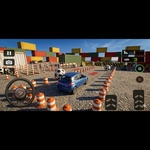
📝Super Car Parking Overview
Slide into the driver's seat and squeeze a supercar into impossible spaces without scratching the paint.
💬What is Super Car Parking?
Parking games usually bore me to tears. But Super Car Parking got its hooks in because the cars actually feel heavy, and the mirror taps? Brutal. You'll creep a bright orange Lambo-clone into a space between two pillars, watch the front bumper clear by a pixel, and exhale for the first time in thirty seconds.
The controls are simple: arrow keys or WASD to steer, space for handbrake, and on mobile you get touch buttons that don't fight you. What surprised me is how much the camera matters — tap C or click the camera icon to swing between chase cam and a close rear view. I kept misjudging the nose until I switched to the low angle, then suddenly I could see exactly how much room was left. Each level drops you into a different lot: a rooftop at sunset, an underground garage with flickering lights, a parking structure with ramps and angry pillars. Some spots are diagonal, some require reversing in with a three-point turn.
Don't expect combat or upgrades. This is pure precision driving, and that's the point. The later levels ask for parallel parking between two supercars with maybe six inches total clearance. You will fail. You will reset instantly with R. You will try again because the satisfaction of nailing a reverse entry without touching a cone is genuinely better than most racing games' podium finishes. If you're on a laptop, use keyboard taps instead of holding keys — full lock spins the rear too fast and you'll overcorrect. Small adjustments, watch the mirror edges, and treat every scratch as a personal insult.
👥How to Play Super Car Parking
mobile and keyboard control Ready..!
✨Game Tips
- Tap the brakes before turning into a tight spot; coasting gives you finer control than powering through.
- Switch camera angles often — the low rear view shows bumper gaps the default chase cam hides.
- Use reverse for diagonal parking spaces; angle the nose toward the far corner, then straighten as you enter.
- On mobile, drag the steering wheel gently instead of jamming left or right; full lock makes the rear swing too fast.
- If you scrape a pillar, don't restart every time — sometimes a tiny rub is cheaper than a botched three-point turn.
🔧FAQ
Q: Is Super Car Parking free to play?
A: Yes, Super Car Parking is completely free to play right in your browser with no hidden fees.
Q: Can I play Super Car Parking on my phone?
A: Absolutely, it works on mobile browsers and has touch controls for steering, gas, and brakes.
Q: Do I need to download anything to play?
A: No download needed; the game runs on HTML5, so just open the page and start parking.
Q: What are the controls for Super Car Parking?
A: On keyboard use arrow keys or WASD to drive, space for handbrake, R to reset, and C to change camera.
Q: Why does my car keep hitting the walls?
A: Usually it's about speed; enter corners slower and use the camera to see how close your front bumper really is.
Q: Can I reset a level if I crash?
A: Press R on keyboard or tap the reset button on mobile to restart a level instantly without penalty.