
Tap Switch
Play Count0
Published2021-03-11
Supported DevicesPC
CategoryAdventure & RPG
Rating★★★★★5.0Rate this game
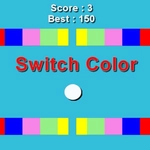
📝Tap Switch Overview
Smash through rotating barriers and shifting color gates with nothing but perfectly timed screen taps — one wrong move and it's back to the start.
💬What is Tap Switch?
Tap Switch doesn't waste time with tutorials or cutscenes. You tap, the ball changes direction or switches lanes, and the world hurls spinning blades, sliding walls, and color gates at you. At first it feels cruel — a red barrier clips you from behind because you tapped half a second late, and the death sting lasts longer than it should. But then you start feeling the rhythm. There's this moment around run thirty where your thumb just knows when to fire, and you thread three obstacles in a row without breathing. That's the hook.
What surprised me is how much variety they pack into a single button. Some levels use color matching: tap only when the gate matches your ball, or you'll explode on contact. Others spin whole rings, forcing you to time not one but two directional flips in quick succession. The difficulty ramps hard after the first dozen checkpoints, so don't expect a chill background game. I kept my phone flat on the desk and tapped with my index finger; mouse clicks work, but the delay feels worse on fast sections. One tip: the hitbox is forgiving on the sides, so shaving a corner is better than waiting for a perfect center.
If you like Super Hexagon or those one-tap timing games from the Flash era, Tap Switch will scratch that itch. It's free, loads in seconds, and punishes laziness. The visuals are minimal — flat colors and crisp shapes — but that's exactly what you need when the speed doubles. Just don't blame me when you look up and an hour vanished.
👥How to Play Tap Switch
Tap, Tap, Tap to get the ball past each obstacle.
✨Game Tips
Tap a beat *before* the obstacle reaches you; input lag will eat your run if you wait.
Your ball's hitbox is smaller than the visual, so shaving corners is usually safe.
Lock into the rhythm on repeating sections — the pattern repeats more than you think.
On mobile, use your thumb on the lower screen; it's faster than a mouse click.
Watch the spinning blades for one full rotation before attempting the gap.
Don't reset immediately after death; study the next pattern while you're dead.
🔧FAQ
Q: Is Tap Switch free to play?
A: Yes, the game is 100% free in your browser with no hidden costs or premium blockers.
Q: Can I play Tap Switch on mobile?
A: Absolutely. The tap controls work great on touchscreens, and many players find mobile easier than desktop.
Q: Do I need to download or install anything?
A: No downloads needed. It runs directly in modern browsers as an HTML5 game.
Q: How do I control the ball in Tap Switch?
A: Simply tap the screen or click the mouse to switch direction or lane at the right moment.
Q: Is Tap Switch hard?
A: It starts simple but becomes very challenging after the first few levels, requiring precise timing.
Q: What if I get stuck on a level?
A: Study the obstacle pattern before moving, and don't spam taps — wait for the right beat to tap.