
Terraria Playground
Play Count0
Published2025-10-15
Supported DevicesPC + Mobile
CategoryAdventure & RPG
Rating★★★★★5.0Rate this game
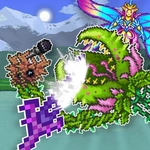
📝Terraria Playground Overview
Place a block, drag it anywhere, and build the pixel world you've always doodled in the margins of your notebook—Terraria Playground is pure creative freedom.
💬What is Terraria Playground?
Terraria Playground is what happens when you strip away the survival grind, the night zombies, and the boss fights—and just leave the blocks, the torches, the chests, and a big empty map. You pick an object from a sidebar list, click somewhere on the board, and it plops down. Then click and hold to drag it around, stacking dirt on top of stone, wedging a door into a floating island, or lining up twenty slimes like they're waiting for a bus. It sounds simple, and honestly, it is—but that's the charm. I lost a good fifteen minutes building a staircase to nowhere just to see if I could put a chest on a cloud block.
The controls are dead simple for a reason: this is a playground, not a platformer. No mining, no crafting timers, no inventory management. Everything's already unlocked, and nothing gets used up, so you can spawn a hundred torches without worrying about running out of wood. My one gripe? There's no undo button, so if you accidentally drag your whole house off the edge into the void, you'll have to rebuild it by hand. But that's almost part of the fun—like LEGO with gravity turned mostly off. It runs in your browser, works great on a Chromebook during study hall, and yes, it's completely free.
If you've played actual Terraria, you'll recognize the pixel art style and some of the objects, but this isn't a 1:1 port. It's more like a fan-made toy box that got the look right and ditched everything that makes Terraria stressful. For five minutes of messing around between classes, it's perfect.
👥How to Play Terraria Playground
Select an object from the list and click on it to add it to the game board. You can move objects around the game board by simply holding them down. Experiment and have fun with this epic game!
✨Game Tips
Click an object once to place it, then hold and drag to slide it anywhere—even mid-air.
Use the sidebar list to filter categories—some items are hidden below the scroll, so check the bottom.
Torches and light sources make your build pop at night, so scatter a few around your base.
If you accidentally drag something off-screen, just grab a fresh copy from the list; nothing is consumed.
Try combining objects that don't normally go together—half the fun is making a slime sit on a throne.
🔧FAQ
Q: Is Terraria Playground free to play?
A: Yes, it's completely free in your browser with no hidden paywalls or locked content.
Q: Can I play Terraria Playground on mobile?
A: The game works best with a mouse, but most touchscreens can tap and drag objects if you use a browser.
Q: Do I need to download Terraria Playground to play?
A: No download needed—just open the page in any modern browser and start building.
Q: Is this the official Terraria game?
A: No, this is a fan-made playground inspired by Terraria's pixel style, not the full survival game.
Q: What can I build in Terraria Playground?
A: Anything from simple block towers to elaborate castles, using the object list of blocks, items, and creatures.
Q: How do I move objects after placing them in Terraria Playground?
A: Click and hold any placed object, then drag it to a new spot on the board.