
TM Driver
Play Count0
Published2020-06-29
Supported DevicesPC
CategoryAdventure & RPG
Rating★★★★★5.0Rate this game
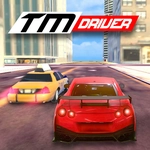
📝TM Driver Overview
Strap in and floor it through a massive 3D landscape full of ramps, tight corners, and daredevil jumps that punish hesitation.
💬What is TM Driver?
TM Driver throws you into a no-frills 3D driving sandbox. You're not racing against a clock or chasing checkpoints — you're just a car and a huge open area with ramps, bumps, and plenty of room to test your nerve. I spent my first few minutes just launching off the same hill over and over, trying to land a backflip. It never gets old.
The controls are simple: arrows to drive, space to brake, B to glance behind. But don't let that fool you. The physics have real weight to them. Hit a ramp at the wrong angle and you'll barrel-roll off a cliff; brake too late into a corner and you're chewing dirt. That unpredictability is exactly why I kept coming back. It's not about winning anything — it's about pulling off a move you didn't think the car could handle.
Graphically it's a low-poly kind of 3D, which runs smooth even on a school Chromebook. The landscape loops around so you never hit an invisible wall. Honestly, half the fun is finding new jumps hidden behind hills. If you've got ten minutes to kill and want something loud and dumb in the best way, this is it.
👥How to Play TM Driver
Move: "ARROW KEYS"
Brake: "SPACE"
Look Back: "B"
✨Game Tips
Tap the brake lightly instead of holding it — you'll keep more speed through rough turns.
Try landing on your rear wheels first after a jump; it stops the suspension from bouncing you sideways.
The B key is your friend on blind crests — quick glance back before reversing.
Don't be afraid to go full speed into a ramp; momentum is what gets you the cleanest air.
If you wipe out, just hold forward and steer gently to self-right the car.
Find the big loop ramp near the far side of the map; it's a great place to practice roll landings.
🔧FAQ
Q: Is TM Driver free to play?
A: Yes, it's completely free in your browser with no hidden costs.
Q: Do I need to download anything to play TM Driver?
A: No, it runs directly in your web browser as an HTML5 game.
Q: Can I play TM Driver on mobile?
A: The game is designed for keyboard controls, so mobile support is limited or unavailable.
Q: What are the controls for TM Driver?
A: Use arrow keys to drive, space to brake, and B to look behind you.
Q: Does TM Driver have any races or missions?
A: No, it's a free-roam driving sandbox with no set objectives.
Q: Can I play TM Driver at school or work?
A: Yes, since it's unblocked and browser-based, it usually works on restricted networks.