
Tob vs Kov 2
Play Count0
Published2022-06-10
Supported DevicesPC + Mobile
CategoryAdventure & RPG
Rating★★★★★5.0Rate this game
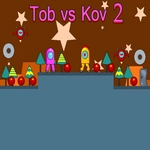
📝Tob vs Kov 2 Overview
Guide Tob or Kov through spike-filled levels where one double jump can mean the difference between victory and a very long fall.
💬What is Tob vs Kov 2?
Tob vs Kov 2 drops you into a side-scrolling obstacle course that feels like a sibling argument turned level design. You'll move with WASD or arrows, and that second tap of jump is your real lifeline. The first time I hit a wall of spikes because I panicked and forgot the double jump, I actually laughed—then immediately retried. That's the loop. The levels don't hold your hand, but they're fair in that brutal way that makes you want to prove the game wrong. Each screen has little visual tells about what's coming: a slightly darker tile, a floating platform that hovers a beat too long, a gap that looks just barely possible. You'll learn to read them fast.
Kov is the smaller, quicker one—if you pick Tob, you'll notice he's a bit heavier on the landing. The differences aren't huge, but after a few deaths, you'll develop a favorite. I gravitated toward Kov because the double jump felt snappier, though I've watched plenty of players insist Tob's hitbox is more forgiving. The game doesn't tell you any of this; you'll figure it out from the way your character clips a corner or clears a ledge by a pixel. There's no story to speak of beyond 'get to the end before the other guy,' but the title implies a rivalry, and honestly, the scoreboard at the end of each level scratches that competitive itch even in solo play.
If you're into tight platformers like those old Flash-era adventures, this one will feel like a lost gem. It's quick to load, controls are crisp, and the music (if your browser allows it) has that chiptune urgency that makes you tap faster. Just remember: the double jump isn't optional. It's the entire game.
👥How to Play Tob vs Kov 2
Use "WASD" or "Arrow" keys for the player's movement.
Use "W" or "Up" arrow key twice for double jump.
✨Game Tips
Master the double jump early—spend your first few lives just testing how high you can go from different surfaces.
Use brief taps on the movement keys instead of holding them; momentum will kill you near edges.
Watch for the darker tile patterns; they almost always signal spike placement before you can see the spikes themselves.
Don't instinctively jump at gaps. Sometimes walking off and then double jumping mid-air gives you more distance.
If you die more than three times on one screen, switch characters—the hitbox difference genuinely changes what feels possible.
Turn off browser zoom or fullscreen if the input feels floaty; the game reads keys better at 100% scale.
🔧FAQ
Q: Is Tob vs Kov 2 free to play?
A: Yes, it's completely free in your browser with no paywalls or hidden fees.
Q: Can I play Tob vs Kov 2 on mobile?
A: The game is designed for keyboard, but it may run on mobile browsers with limited touch controls.
Q: Do I need to download anything to play?
A: No downloads. It runs directly on HTML5 in any modern browser.
Q: What are the controls for Tob vs Kov 2?
A: Use WASD or arrow keys to move, and press W or Up arrow twice to double jump.
Q: Is there a multiplayer mode in Tob vs Kov 2?
A: No online multiplayer; the title refers to two selectable characters, not two-player co-op.
Q: How do I reset the game if I get stuck?
A: Refresh the browser tab to restart from the beginning, or use the in-level restart if available.