
Toca Life Coloring Book
Play Count0
Published2024-12-02
Supported DevicesPC + Mobile
CategoryKids & Educational
Rating★★★★★5.0Rate this game
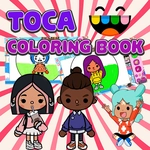
📝Toca Life Coloring Book Overview
Pick up a digital crayon, tap a blank scene, and watch a whole Toca Life world bloom with your own color choices.
💬What is Toca Life Coloring Book?
I didn't expect a coloring page to hold my attention for forty minutes, but here we are. Toca Life Coloring Book drops you into a set of digital line-art scenes full of familiar-looking characters and cozy little rooms, and your only job is to give them a paint job. The interface is dead simple: you pick a color from the tray at the bottom, then tap or click an area on the page and the whole region floods with that color. No messy fill tool drama where one stray pixel ruins everything—the areas are cleanly outlined, so even a five-year-old can get a satisfying result on the first try.
What got me was the tiny details. One page had a character holding an ice cream cone, and the scoop was separate from the cone, so you could make the strawberry swirl pink and the cone a warm waffle brown. I kept zooming in (yes, there's a zoom) to color the tiny sprinkles one by one. It's weirdly meditative. You can also grab an eraser if you change your mind, though I rarely did because the colors pop so nicely against the white background. The palette isn't infinite—maybe twenty or thirty shades—but that's enough to make each scene feel personal without overwhelming choice paralysis.
For parents or anyone looking for a quiet ten minutes (or forty), this one's a low-stakes win. It runs right in the browser, no download, no account, and it's free. My only gripe: there's no save button for your finished picture. You can screenshot it if you want, but the game itself won't remember your masterpiece once you close the tab. That said, for a quick creative break or keeping a kid busy on a tablet, Toca Life Coloring Book does exactly what it promises.
👥How to Play Toca Life Coloring Book
Mouse/Touch Pad
✨Game Tips
Zoom in on small details like faces or accessories to color them without going outside the lines.
Use the eraser sparingly—once you tap an area, the flood fill usually covers it cleanly, so you won't need it much.
Pick a limited color scheme (like warm pastels or bright primaries) before you start to keep the final picture looking cohesive.
If you're on a touchscreen, tap with the pad of your finger rather than the tip for more accurate area selection.
Work from the largest background areas first, then move to small foreground details last.
Take a screenshot when you finish—there's no in-game save, so if you close the tab, your art is gone.
🔧FAQ
Q: Is Toca Life Coloring Book free to play?
A: Yes, it's completely free. No hidden fees or subscriptions.
Q: Can I play Toca Life Coloring Book on my phone or tablet?
A: Yes, it works on touch screens. Tap to color areas just like clicking a mouse.
Q: Do I need to download anything to play?
A: No download needed. It runs directly in your web browser.
Q: How do I choose a new color?
A: Click or tap any swatch in the color tray at the bottom of the screen.
Q: What ages is this game best for?
A: It's perfect for kids ages 3 and up, but relaxing for all ages.
Q: Can I save my colored picture?
A: The game doesn't have a save button. Take a screenshot to keep your art.