
Town Island Craft 3D
Play Count0
Published2022-08-08
Supported DevicesPC + Mobile
CategoryAdventure & RPG
Rating★★★★★5.0Rate this game
📝Town Island Craft 3D Overview
You know that satisfying click when you place a perfect block in just the right spot? Town Island Craft 3D leans into that feeling hard.
💬What is Town Island Craft 3D?
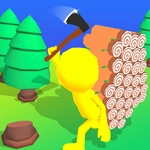
I didn't expect much from a browser-based island builder, but twenty minutes in I was already terraforming a beach and laying out a little fishing village. The loop is simple: wander around your chunk of paradise, whack trees for wood, chip at rocks for stone, then drop blocks wherever you like. There's no hand-holding, no long tutorial—just you, a mostly empty island, and a growing pile of resources.
The controls are straightforward enough that I jumped in without reading anything. You tap or click to interact, rotate the camera to line up blocks, and hold to break things. The first time I built a staircase up a cliff and turned around to see my whole settlement below, that's when it clicked. It's not about beating a level or solving a puzzle; it's about making a place that feels like yours. You'll probably start with a hut, then add a dock, then decide you want a watchtower with a view.
One thing I liked: resources regrow, so you never truly run out of trees or stone. That means you can experiment without anxiety. I ripped down my first bridge twice because it looked clunky before settling on a design I actually liked. If you enjoy low-pressure sandbox games where the only real objective is the one you invent, this one's worth a shot. It won't replace a full desktop builder, but for a free browser game, it scratches that itch nicely.
👥How to Play Town Island Craft 3D
Tap to play
✨Game Tips
Start by clearing a flat area near the beach for your first house. Trees regrow, so chop without fear.
Build a bridge early to reach other parts of the island before you exhaust the easy resources near your spawn.
Rotate the camera to place blocks precisely on edges and corners—it saves a lot of frustrating miss-places.
Upgrade to stone tools as soon as you can; they break far less often than wooden ones.
If you're stuck for layout ideas, copy a simple village pattern: a central well, three small houses, and a dock.
Save your progress by exiting through the menu occasionally; the autosave works, but it's not instant.
🔧FAQ
Q: Is Town Island Craft 3D free to play?
A: Yes, it's completely free. There are no paywalls or required purchases.
Q: Can I play Town Island Craft 3D on my phone?
A: Yes, it works in mobile browsers with tap controls. The interface adapts to touch screens.
Q: Do I need to download anything to play?
A: No downloads needed. It runs directly in your web browser as an HTML5 game.
Q: What are the controls for Town Island Craft 3D?
A: Use mouse or touch to move, rotate the camera, and interact. Tap or click to gather resources and place blocks.
Q: Does Town Island Craft 3D need an internet connection?
A: Yes, because it's a browser game. You need a stable connection to load and play, but it's usually light on data.
Q: Can I save my progress in Town Island Craft 3D?
A: Yes, the game autosaves your island and inventory. To be safe, exit via the menu when you're done.