
Towra
Play Count0
Published2022-07-28
Supported DevicesPC + Mobile
CategoryAdventure & RPG
Rating★★★★★5.0Rate this game
📝Towra Overview
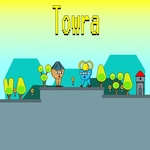
Double-jump over deadly chasms and scale forgotten ruins as Towra, a silent explorer drawn toward a mysterious glowing beacon.
💬What is Towra?
Towra doesn't hold your hand. You're dropped into a moody 2D world with nothing but a double jump and a direction to move. The controls are simple enough—WASD or arrows, with a second tap of jump for that extra lift—but the level design quickly asks more. Gaps widen, platforms crumble underfoot, and spikes appear in the exact spot where you'd normally panic-jump. I died a lot, but not unfairly. Each death taught me something about timing, about when to save that second jump instead of burning it early.
The pixel art is subdued and atmospheric, all deep purples and mossy greens. Towra moves with a weight that feels deliberate, not floaty. There's no combat; it's pure traversal and puzzle-adjacent platforming. Some sections require you to bounce off walls or trigger switches that rearrange the terrain—a clever touch that keeps the backtracking from feeling stale. I found a hidden area above the second checkpoint by double-jumping at the last possible frame, and it felt earned rather than accidental.
If you're after something calm but challenging, Towra hits that sweet spot. It won't waste your time with long cutscenes or tutorials. You jump, you fall, you try again. The checkpoint placement is generous enough to keep frustration low, but far enough apart that each successful sequence feels like a small victory. I kept coming back to shave seconds off my run. That's the sign of a platformer doing its job.
👥How to Play Towra
Use "WASD" or "Arrow" keys for the player's movement.
Use "W" or" Up" arrow key twice for double jump.
✨Game Tips
Master the double jump's second activation—don't spam it; delay the second tap to gain extra height over wide gaps.
WASD works, but arrows feel more precise for short hops; pick whichever lets you land pixel-perfect jumps.
Look for cracked walls—they often hide secret paths with extra checkpoints or lore shards.
When platforms crumble, jump off the edge right before they vanish to preserve your double jump for later.
If a gap looks barely too wide, try running off the edge and double jumping mid-air instead of jumping from a standstill.
Rebind your brain to treat the second jump as a resource, not a reflex—some sections force you to use it only at specific moments.
🔧FAQ
Q: Is Towra free to play?
A: Yes, Towra is completely free in your browser—no paywalls or hidden costs.
Q: Can I play Towra on mobile?
A: The game is designed for keyboard controls, so desktop is recommended. Mobile touch support may be limited or unavailable.
Q: Do I need to download anything to play Towra?
A: No downloads needed. Towra runs in any modern web browser using HTML5.
Q: What are the controls for Towra?
A: Use WASD or arrow keys to move. Press W or Up arrow twice to double jump.
Q: Why does my double jump sometimes not trigger?
A: You need to press the jump key twice quickly while airborne. If you wait too long, you'll fall before the second jump registers.
Q: Is Towra suitable for kids?
A: Yes, there's no violence or gore. The challenge is in precise platforming, so younger players might need patience.