
Tracky Tracks
Play Count0
Published2025-09-22
Supported DevicesPC
CategoryAdventure & RPG
Rating★★★★★5.0Rate this game
📝Tracky Tracks Overview
Build your own death-defying 3D race line and then survive it—brakes optional, glory mandatory.
💬What is Tracky Tracks?
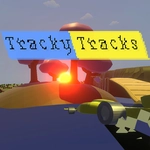
Tracky Tracks drops you behind the wheel of a nimble little vehicle on a series of custom-built 3D courses that twist, loop, and occasionally launch you into the void. You steer with WASD, slam the spacebar to brake, and can swap camera angles on the fly with C. The real hook is how the tracks feel—every bump and banked turn translates through the physics in a way that keeps you white-knuckled. I spent way too long trying to nail a corkscrew section that kept spitting me off the edge, and the instant restart with R became my best friend.
What sets it apart from a standard racer is the track variety. Some levels feel like rollercoaster engineering gone feral, with half-pipes and gap jumps that demand precise throttle control. Brake too late and you'll overshoot the landing; brake too early and you won't clear the gap. The camera toggle helps a lot—third-person for speed sensation, first-person for when you need to judge exactly where your wheels are. I found myself switching to the close chase cam whenever a series of hairpin turns showed up, just to see the track edges better.
It's not a long game, but it doesn't need to be. Each run is a bite-sized adrenaline hit, and the lack of timer pressure means you can experiment with different lines. If you like games where the track itself is the enemy, Tracky Tracks scratches that itch. Just don't expect a gentle learning curve—the later courses will humble you fast.
👥How to Play Tracky Tracks
W/S = FORWARD/BACKWARD, A/D = RIGHT/LEFT, SPACE = BRAKE,
ESC = GO TO MAIN MENU, P = PAUSE, R = RESTART, C = CHANGE CAMERA.
✨Game Tips
Tap space early on downhill sections to avoid building lethal speed before a sharp hairpin.
Use C to switch to first-person camera when a jump has a narrow landing strip—you'll judge distance way better.
If you fly off the track, hit R immediately instead of waiting for the reset; it saves a few seconds per attempt.
Treat the brake as a drift tool: a quick tap mid-corner rotates the car without killing all momentum.
On loop-de-loops, keep steady throttle and don't steer—centrifugal force keeps you glued if you enter straight.
Experiment with the tracked vehicle's slide; it grips more than you think after the first lap, so push harder on repeat runs.
🔧FAQ
Q: Is Tracky Tracks free to play?
A: Yes, Tracky Tracks is completely free in your browser. No payment or subscription is needed to access all levels.
Q: Can I play Tracky Tracks on my phone?
A: The game is designed for keyboard controls, so mobile play is not officially supported. A physical keyboard is recommended for the best experience.
Q: Do I need to download anything to play Tracky Tracks?
A: No download required. Tracky Tracks runs directly in your web browser as an HTML5 game, so just open the page and start driving.
Q: Are there any cheats or shortcuts in Tracky Tracks?
A: There are no built-in cheat codes. The only shortcut is using R to instantly restart a failed run instead of waiting for the respawn timer.
Q: Can I play Tracky Tracks at school or work?
A: If the site is unblocked on your network, yes. Since it's a browser game with no downloads, many school networks allow it as long as the URL isn't blocked.
Q: Is Tracky Tracks a multiplayer game?
A: No, Tracky Tracks is single-player only. You race against the track itself, not other players, which keeps the focus on mastering each course.