
Tractor Farming Simulator
Play Count0
Published2020-06-19
Supported DevicesPC
CategoryAdventure & RPG
Rating★★★★★5.0Rate this game
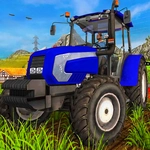
📝Tractor Farming Simulator Overview
Climb behind the wheel of a muddy tractor and turn a patch of dirt into a working farm in this surprisingly deep simulator.
💬What is Tractor Farming Simulator?
There's something weirdly relaxing about trundling a tractor across a field at 15 mph. Tractor Farming Simulator nails that low-stakes vibe. You pick a vehicle, point it down a row, and hold the up arrow. The engine chugs, dust kicks up, and you just... go. It's not about racing or combat. It's about the rhythm of the work.
The controls are dead simple — arrow keys to move, maybe a tap of space for the handbrake if you get stuck. But the challenge comes from the terrain. Get your wheels in a rut and you'll feel the tractor lean. Oversteer on a turn and you'll jackknife your trailer. I lost a full load of hay once because I tried to cut a corner too sharp. That's the kind of thing you don't forget.
If you're expecting deep management systems or crop economics, this won't scratch that itch. But as a quick play session, it's a surprisingly good time. You'll find yourself resetting the same field just to see if you can plow cleaner lines. It's the browser game equivalent of a fidget spinner, but with diesel.
👥How to Play Tractor Farming Simulator
Please use keyboard arrows to control the vehicles
✨Game Tips
- Tap the up arrow in short bursts instead of holding it to keep control on tight turns.
- Reverse slowly with the down arrow when you get stuck against a fence.
- Use the full width of the field to line up your next pass before you start plowing.
- Keep an eye on your trailer's angle — it swings out when you turn hard.
- If the tractor starts to tip, steer into the lean and let off the throttle.
- Don't rush; steady speed gets the job done faster than constant crashing.
🔧FAQ
Q: Is Tractor Farming Simulator free?
A: Yes, it's completely free to play in your browser with no hidden costs.
Q: Can I play Tractor Farming Simulator on mobile?
A: The game uses keyboard controls, so it works best on a desktop or laptop with arrow keys. Mobile touch controls are not supported.
Q: Do I need to download anything to play Tractor Farming Simulator?
A: No downloads or installations are required. Just open the game page in your browser and start driving.
Q: What are the controls for Tractor Farming Simulator?
A: Use the keyboard arrow keys to control your vehicle. Up accelerates, down reverses, and left/right steer.
Q: Is Tractor Farming Simulator suitable for kids?
A: Yes, there's no violence or complex reading, so younger players can enjoy the simple driving mechanics.
Q: Can I save my progress in Tractor Farming Simulator?
A: The game is a short session-based experience, so it doesn't include a save system. Each play starts fresh.