
Traffic Command HD
Play Count0
Published2021-05-25
Supported DevicesPC
CategoryAdventure & RPG
Rating★★★★★5.0Rate this game
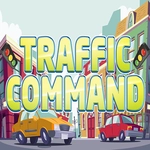
📝Traffic Command HD Overview
Can you keep rush hour from turning into a metal pancake? Click the lights, dodge the chaos, and pray the ambulances get through.
💬What is Traffic Command HD?
You're not driving anything in Traffic Command HD—you're the invisible traffic cop standing at the busiest intersection in town, and every click on a light is a split-second decision. The first time a line of sedans creeps too far into the crosswalk and a truck clips a taxi, you'll feel the jolt. That's the game's real magic: it turns urban planning into a high-stakes puzzle where patience beats reflexes.
I'll admit the first few minutes lulled me into a false sense of calm. Cars roll in predictable waves, you tap a light green, everyone moves along. Then the game quietly adds more lanes, faster vehicles, and an ambulance that absolutely refuses to wait. My strategy went from careful timing to pure panic: I clicked a light green just as a motorcycle was sneaking through, and the resulting pileup cost me three lives. You learn fast that a late green is safer than an early one. The HD visuals are crisp without being distracting—you can see individual drivers twitch when they're about to run a red, which is both hilarious and useful.
What keeps me coming back is the tension between flow and chaos. Each level feels like a tiny traffic engineering exam: do you sacrifice the east-west flow to clear the north-south queue? Can you hold a yellow just long enough for that bus? The game doesn't punish you for experimenting, but it does remember your mistakes—crashes aren't instant game overs, just lost points and a creeping sense of failure. If you've got five minutes to kill, it's the perfect low-stakes-high-sweat break. Just don't blame me if you start judging real intersections.
👥How to Play Traffic Command HD
Arrows,Click,Mouse
✨Game Tips
Watch the far lane first—cars entering from the left have the shortest merge window.
Don't rush the green light; a premature change causes more crashes than a late one.
Click just before the last car passes to keep the flow continuous without gaps.
On later levels, give emergency vehicles priority even if it costs you a few seconds.
If a lane backs up, force a red on the busiest cross street for two full cycles.
🔧FAQ
Q: Is Traffic Command HD free to play?
A: Yes, it runs right in your browser with no payment or account needed.
Q: Can I play Traffic Command HD on my phone?
A: The game supports touch and mouse, so it works on most mobile browsers too.
Q: Do I need to download or install anything?
A: No download needed—just open the page and the game loads instantly.
Q: What controls does Traffic Command HD use?
A: Click or tap traffic lights to switch them between red and green.
Q: Is Traffic Command HD too difficult for casual players?
A: Early levels are calm, but the difficulty ramps up. Click at your own pace.
Q: Can I lose in Traffic Command HD?
A: Yes, crashes or excessive gridlock will cost you lives or end the run.