
Traffic Go 3D
Play Count0
Published2021-12-08
Supported DevicesPC + Mobile
CategoryAdventure & RPG
Rating★★★★★5.0Rate this game
📝Traffic Go 3D Overview
Tap once and you're off — now can you thread the gap between a bus and a taxi without becoming roadkill?
💬What is Traffic Go 3D?
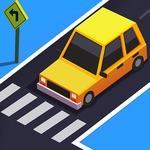
You know that moment when you step off the curb and realize the crosswalk light lied to you? Traffic Go 3D turns that split-second panic into a whole game. You're a little blocky character trying to cross a stream of speeding cars, trucks, and the occasional runaway ambulance. One tap or click sends you forward one lane. That's it. No joystick, no brake pedal, no second chances. The first time I made it across five lanes I actually exhaled like I'd been holding my breath since the tutorial.
The 3D perspective makes it worse in the best way. Cars come at you with real mass, headlights glaring, horns blaring if they get too close. The gap you thought was wide enough turns out to be a compact car moving faster than it looked. I kept dying in the middle lane, trying to time my next tap while a motorcycle zoomed past my nose. Then I learned the rhythm — wait for a cluster to pass, tap twice quick, pause, tap again. The game rewards patience but punishes hesitation, and that tension is exactly what keeps you coming back.
There's no story, no upgrades, no boss fight. Just you, the road, and a high score taunting you from the corner of the screen. Some runs end in under ten seconds. Others stretch into a minute of near-misses that make you feel invincible until a yellow cab appears out of nowhere. Traffic Go 3D isn't trying to reinvent the genre. It just does the core loop so cleanly that you'll lose half an hour without noticing.
👥How to Play Traffic Go 3D
just a click or touch.
✨Game Tips
Wait for a group of cars to pass before tapping, then move two lanes quickly while the road is clear.
Don't stare at your character — watch the far lane where the next gap will appear.
Tap slightly earlier than you think, because the animation takes a beat to actually move you.
Use the sound cues: engine noise gets louder when a vehicle is close behind you.
If you're stuck in the middle lane, stay still and let traffic flow until a clean opening appears.
Play with headphones — the spatial audio helps you judge which direction danger is coming from.
🔧FAQ
Q: Is Traffic Go 3D free to play?
A: Yes, it's completely free with no paywalls or locked content.
Q: Can I play Traffic Go 3D on my phone?
A: Yes, it works on mobile browsers with touch controls. Just tap the screen to move.
Q: Do I need to download anything to play?
A: No downloads needed. It runs directly in your browser as an HTML5 game.
Q: How do I control the character in Traffic Go 3D?
A: Click with a mouse or tap the screen once. Each tap moves you forward one lane.
Q: Is Traffic Go 3D unblocked at school?
A: It's hosted on unblocked game sites, so you can usually play on school or work networks.
Q: What's the goal of Traffic Go 3D?
A: Cross as many lanes as possible without getting hit by vehicles. Your score is the number of successful crossings.