
Train Driver
Play Count0
Published2019-10-30
Supported DevicesPC
CategoryAdventure & RPG
Rating★★★★★5.0Rate this game
📝Train Driver Overview
Grab the throttle and keep a massive locomotive on schedule through changing tracks, signals, and weather.
💬What is Train Driver?
You'd think driving a train is just pushing a lever forward, but Train Driver quickly humbles you. The tracks split, signals go red without warning, and your speed bleeds off on climbs you didn't notice until you're crawling. I lost my first three runs to a mix of overconfidence and braking too late for a station. What got me hooked is how the game quietly demands attention to the route ahead — you can't just hold W and zone out.
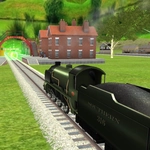
The 3D view sits right behind the cab, so you get a real sense of mass as the train picks up momentum. Hit a downhill section and you'll feel the urge to brake early; wait too long and you'll overshoot the platform or worse, plow into a junction. The arrows control throttle and brake while the mouse lets you look around, which helps a lot for checking signal lights that are easy to miss at speed. No fancy upgrades or mission timer, just you and a schedule you're supposed to keep. The tension comes from the physics — heavy trains don't stop on a dime.
That simplicity is the strength. Each run feels like a small puzzle of speed management and route reading. I found myself muttering at the screen when a yellow light appeared too soon after a curve. It's not flashy, but the kind of game you open for one delivery and end up replaying four times to nail a perfect stop.
👥How to Play Train Driver
Controls:
Use mouse and arrow keys to play.
✨Game Tips
Brake earlier than you think on downhill slopes — momentum is your worst enemy.
Use the mouse to look ahead for signals before you reach a switch.
Don't chase the schedule too hard in the first minute; a clean stop beats a fast crash.
Watch the track layout at junctions before committing speed.
When a signal turns yellow, ease off throttle immediately instead of slamming brakes.
Keep a mental note of where the next station sits so you can start slowing well in advance.
🔧FAQ
Q: Is Train Driver free to play?
A: Yes, it's completely free on the site.
Q: Can I play Train Driver on mobile?
A: The game works best with a mouse and keyboard, but mobile browsers may still load it.
Q: Do I need to download anything?
A: No download needed. It runs directly in your browser as HTML5.
Q: How do I control the train?
A: Use arrow keys or mouse controls to manage throttle and brake, and mouse to look around.
Q: Is Train Driver a realistic simulator?
A: It's more arcade-style than full simulation, but the physics feel weighty and punishing.
Q: Can I play Train Driver offline?
A: No, you need an internet connection to load the page.