
Trapezio
Play Count0
Published2022-08-24
Supported DevicesPC + Mobile
CategoryAdventure & RPG
Rating★★★★★5.0Rate this game
📝Trapezio Overview
Leap across crumbling geometry and chain double jumps to survive Trapezio's brutal platforming gauntlet.
💬What is Trapezio?
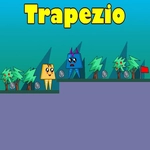
I'll be honest—Trapezio looks simple until you're ten deaths deep on the same floating ledge. You control a small trapezoid-shaped character through tight, side-scrolling obstacle courses where every pixel of your jump arc matters. The core twist is the double jump: tap W or Up twice, but don't expect a freebie. The second jump has a subtle delay, so spamming it mid-fall will get you killed more often than it saves you. Once you get the rhythm, though, chaining jumps across spike pits and moving platforms feels ridiculously satisfying.
What caught me off guard was how much the game rewards patience. There's no timer, no enemies—just you, the gaps, and the occasional rotating blade that shreds you if your timing is off by a fraction of a second. I found myself muttering "one more try" after every death, especially on sections where the double jump has to be angled just right to clear a vertical wall. The level design feels deliberate, not random, so when you finally nail a sequence it's because you learned the pattern, not because you got lucky.
Performance is smooth in browser, and the controls are tight enough that deaths never feel cheap—you always know what you did wrong. If you're into precision platformers like Celeste or Super Meat Boy, this scratches that same itch without the story baggage. Just be ready to fail. A lot. And like it.
👥How to Play Trapezio
Use "WASD" or "Arrow" keys for the player's movement.
Use "W" or "Up" arrow key twice for double jump.
✨Game Tips
Master the double jump cadence: press W or Up twice with a short pause, not rapid-fire, or the second jump won't register.
Watch your landing zones—Trapezio's hitboxes are strict, so aim for the center of platforms, not the edges.
Use the first jump to clear small gaps and save the double jump for emergency corrections or high ledges.
On moving platforms, jump earlier than you think; the double jump can compensate if you overcommit, but you can't undo a fall.
If a section feels impossible, try hugging the wall before your second jump—it gives you extra height on vertical climbs.
Don't rage quit on spike corridors. Slow down your inputs; the double jump's delay means you need to initiate it sooner than your instincts say.
🔧FAQ
Q: Is Trapezio free to play?
A: Yes, Trapezio is completely free in your browser—no paywalls or hidden fees.
Q: Can I play Trapezio on mobile?
A: The game is optimized for keyboard controls, so mobile play isn't officially supported.
Q: Do I need to download anything to play Trapezio?
A: No downloads needed. It runs instantly on any modern browser with HTML5 support.
Q: What are the controls for Trapezio?
A: Use WASD or Arrow keys to move. Press W or Up arrow twice quickly to perform a double jump.
Q: Is Trapezio very difficult?
A: It's a precision platformer, so expect a steep challenge. Deaths are frequent but checkpoints are fair.
Q: Can I play Trapezio with a controller?
A: Keyboard is the intended input for Trapezio; gamepad support is not officially available.