
Trapezio 2
Play Count0
Published2022-07-01
Supported DevicesPC + Mobile
CategoryAdventure & RPG
Rating★★★★★5.0Rate this game
📝Trapezio 2 Overview
Bounce, double-jump, and squeeze through razor-thin gaps as a springy little trapezoid with a death wish.
💬What is Trapezio 2?
A springy quadrilateral with a bad attitude and a double jump that saves your life every five seconds. That's the core loop here, and it's absurdly addictive once you get the timing down. WASD or arrow keys move you, and tapping W or Up twice sends you soaring a second time mid-air—but it's not a get-out-of-jail-free card. You need to know exactly when to use it, because the levels are littered with spinning blades, crumbling blocks, and platforms that are just a pixel too far apart.
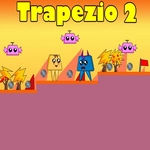
I died probably forty times on the third stage alone, and I kept coming back. The checkpoints are frequent enough that you never lose meaningful progress, but they're spaced just far enough to make each attempt feel like a fresh puzzle. There's a particular section where you have to double jump off a crumbling block, then immediately reverse direction in mid-air to squeeze between two rotating saws. That's the moment the double jump stops being a gimmick and becomes your best friend. The pixel art is simple but readable, and the hitboxes are surprisingly fair—most of my deaths were my own fault, not cheap collisions.
If you're tired of browser platformers that feel floaty or unresponsive, this one is a breath of fresh air. The controls are tight, the momentum is consistent, and the difficulty curve ramps up without ever feeling unfair. You won't unlock new abilities or collect pointless coins; it's just you, a trapezoid, and a gauntlet of precision jumps. I finished the main levels in about an hour, but I'm already replaying to shave seconds off my time. That's the mark of a good platformer—it respects your skill and dares you to get better.
👥How to Play Trapezio 2
Use "WASD" or "Arrow" keys for the player's movement.
Use "W" or "Up" arrow key twice for double jump.
✨Game Tips
Tap the jump key lightly for smaller hops; you don't always need a full double jump.
Save your mid-air jump for correcting mistakes—don't waste it the moment you leave the ground.
Learn the rhythm of spinning blades before attempting a full-speed run through a section.
Use short hops on narrow platforms to avoid overshooting and sliding off the edge.
If a jump feels impossible, backtrack a bit—there's usually a moving platform or alternate route you missed.
Keep your inputs precise; panic mashing will send you into a hazard faster than you can blink.
🔧FAQ
Q: Is Trapezio 2 free?
A: Yes, completely free to play in your browser.
Q: Can I play Trapezio 2 on mobile?
A: The game is designed for keyboard controls, so mobile play is not officially supported.
Q: Do I need to download anything?
A: No download needed—just open the page and start playing.
Q: How do I double jump?
A: Press W or Up arrow twice quickly while moving.
Q: Does Trapezio 2 have checkpoints?
A: Yes, each level has frequent checkpoints so you won't restart from the beginning.
Q: Is there a time limit?
A: No time limit; take your time to learn each section.