
Truck Simulator Offroad Driving
Play Count0
Published2021-10-28
Supported DevicesPC + Mobile
CategoryAdventure & RPG
Rating★★★★★5.0Rate this game
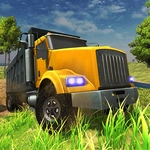
📝Truck Simulator Offroad Driving Overview
Crank the ignition, drop into low gear, and wrestle a heavy rig up muddy slopes where every rock threatens to tip you.
💬What is Truck Simulator Offroad Driving?
There's a special kind of panic when your truck tilts past 30 degrees on a muddy ridge and you're not sure if the next bump means a rollover or just another bone-jarring bounce. That's the core loop of Truck Simulator Offroad Driving: you drop a heavy rig onto tracks that clearly hate you, then try to get from point A to point B without ending up wheels-first in a ditch. The controls are dead simple—W to gas, A/D to steer, S for reverse on keyboard, or on-screen buttons if you're on mobile. Simple controls don't mean forgiving, though. The weight shifts realistically, so a sharp turn at speed will flip you faster than you can say 'load bearing.'
I spent way too long on one section where a narrow ridge sloped sideways. The truck kept wanting to slide toward the drop-off, and I'd overcorrect, fishtail, and lose a rear wheel over the edge. What actually worked? Easing the throttle to almost idle and letting the tires crawl. That's the kind of detail that makes the game click: you're not just holding W, you're managing momentum, traction, and center of gravity. Downhill hairpins are another killer. Hit the gas and the rear kicks out; ride the brake and you understeer into a tree. There's a sweet spot in the middle, and finding it feels like learning a new skill.
Mobile players get on-screen buttons, which are fine but slightly less precise than a keyboard. If you're using touch, I'd recommend shorter taps rather than holding the gas down constantly—it gives you more control over speed. The map isn't huge, but the obstacles are placed so every few meters asks you a new question: can I clear that boulder without scraping the oil pan? Will this mud pit swallow me? It's not a deep sim by any means, but the offroad handling model is entertaining enough to make you forget you're playing in a browser. You'll likely fail a lot. That's part of the fun.
👥How to Play Truck Simulator Offroad Driving
PC: W - gas, AD - wheel, S - back
Mobile: tap buttons on the screen
✨Game Tips
Keep your speed low on off-camber sections; gravity works against you faster than you think
Feather the throttle when climbing—full gas spins the wheels and kills traction
Before a steep descent, ease off the gas and tap the brake lightly instead of slamming it
If the truck starts to tip, steer into the lean, not away from it
On mobile, use short taps rather than holding the button for better speed control
Don't be afraid to reverse and retry a line; there's no shame in a three-point turn on a mountain
🔧FAQ
Q: Is Truck Simulator Offroad Driving free to play?
A: Yes, it's completely free in your browser—no paywalls or hidden fees.
Q: Can I play Truck Simulator Offroad Driving on mobile?
A: Yes, the game has on-screen touch controls for phones and tablets.
Q: Do I need to download anything to play Truck Simulator Offroad Driving?
A: No downloads needed. It runs directly in your web browser as an HTML5 game.
Q: What are the controls for Truck Simulator Offroad Driving on PC?
A: On PC, use W for gas, A/D for steering, and S for reverse.
Q: Does Truck Simulator Offroad Driving support a gamepad?
A: The game is designed for keyboard or touch, but some browsers may allow gamepad mapping.
Q: Is Truck Simulator Offroad Driving unblocked at school?
A: It's an unblocked game, so you can usually play it on school networks without restrictions.