
Truck Space
Play Count0
Published2022-10-04
Supported DevicesPC + Mobile
CategoryAdventure & RPG
Rating★★★★★5.0Rate this game
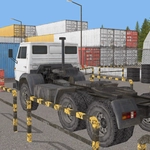
📝Truck Space Overview
Hauling cargo through zero-gravity asteroid fields sounds like a dream until your trailer drifts sideways and the whole rig tumbles into the void.
💬What is Truck Space?
First time I booted up Truck Space, I figured it'd be a relaxed space driving sim. Then I hit my first ramp at full boost, went sailing over a gap, and realized the laws of physics here are more of a loose suggestion. The truck handles like a brick with rockets strapped to it—which is exactly what you want when the 'road' is a chain of floating platforms orbiting a neon planet. You'll spend most of your time fighting momentum, correcting drifts, and praying the next jump lines up before you run out of platform.
What surprised me is how much the camera matters. The default angle hides the edges of some platforms, so you'll find yourself constantly zooming out with the mouse wheel or sliding on mobile to get a better look. There's a genuine tension between keeping your speed up and knowing when to brake early—hit a lip at the wrong angle and you'll pinball off into space. I lost count of how many times I overshot a landing because I assumed the truck would stop faster than it does.
If you enjoy games like Space Engineers or any physics-based driving challenge, Truck Space scratches that itch without requiring a 40-minute tutorial. It's forgiving enough to laugh at your own failures, but the later routes demand real throttle control. I kept coming back just to nail a clean run across the asteroid belt without tapping the reverse key.
👥How to Play Truck Space
Desktop: Arrow keys or W,A,S,D to drive the truck. Mouse to zoom and rotate the camera.
Mobile: Use on-screen buttons to drive, touch the screen and slide to rotate the camera.
✨Game Tips
Tap the brakes before cresting a ramp—airborne momentum carries you farther than you think.
Use mouse wheel zoom to check platform edges before committing to a jump.
On mobile, slide gently on the right side to rotate the camera without overcorrecting.
Keep an eye on the fuel gauge; some platforms have refuel pads but they're easy to miss.
Don't fight the drift—ease off the throttle and countersteer slowly instead of jerking the wheel.
If you start spinning wildly, let go of all controls and wait a second for gravity to settle the truck.
🔧FAQ
Q: Is Truck Space free to play?
A: Yes, it's completely free in your browser with no paywalls.
Q: Do I need to download anything to play Truck Space?
A: No download needed. It runs on HTML5 so just open the page and drive.
Q: Can I play Truck Space on my phone?
A: Absolutely. Use the on-screen buttons and slide your finger to rotate the camera.
Q: What are the controls for Truck Space on desktop?
A: Arrow keys or W, A, S, D drive the truck. Mouse scroll and drag rotate the camera.
Q: Is Truck Space suitable for kids?
A: It's a physics driving game with no violence, so it's fine for most ages.
Q: Why does my truck keep sliding off the platforms?
A: Reduce speed before turns, brake early on ramps, and countersteer gently when drifting.