
Truck Space 2
Play Count0
Published2024-06-29
Supported DevicesPC + Mobile
CategoryAdventure & RPG
Rating★★★★★5.0Rate this game
📝Truck Space 2 Overview
Haul cargo across zero-gravity asteroid fields where every turn can flip your rig into the void—can you keep the wheels down?
💬What is Truck Space 2?
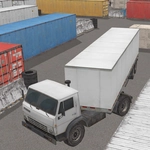
Truck Space 2 is one of those games that looks simple until you're upside down in a crater with your cargo scattered across three asteroid belts. You pilot a heavy transport truck across low-gravity rocky terrain, trying to deliver containers without smashing them or yourself. The physics are gloriously unforgiving—hit a bump too fast and your whole rig goes floating. I learned that the hard way when I tried to shortcut through a narrow canyon and ended up spinning like a top for a full ten seconds.
What keeps me coming back is the camera work. You can swing the mouse to orbit around the truck mid-drive, which sounds trivial, but it's the difference between nailing a tight turn and backing blindly into a pit. The controls are simple on paper: WASD or arrow keys for movement, mouse for camera. On mobile, the on-screen buttons work fine, but sliding a finger to look around feels surprisingly natural. The 3D visuals aren't going to blow anyone away, but they're crisp enough to judge distance—essential when one wrong angle sends you somersaulting.
There's no timer breathing down your neck, so you can take it slow and steady. That said, the later routes are designed to punish overconfidence. I found myself creeping over ridges, tapping reverse to inch backward, and actually holding my breath near the edge of a drop-off. If you enjoy games where the challenge comes from physics rather than reflexes, Truck Space 2 scratches that itch perfectly.
👥How to Play Truck Space 2
Desktop: Arrow keys or W,A,S,D to drive the truck. Mouse to zoom and rotate the camera.
Mobile: Use on-screen buttons to drive, touch the screen and slide to rotate the camera.
✨Game Tips
- Use the mouse to orbit the camera before reversing—blind backing is the fastest way to tumble into a crater.
- Tap the throttle gently on low-gravity stretches; flooring it will send you airborne with zero control.
- Keep your cargo centered on the bed; an unbalanced load makes every turn a rollover risk.
- On mobile, slide your finger slowly across the screen to look around corners before committing to a path.
- If you start to flip, let go of all controls—the truck sometimes stabilizes itself if you don't fight it.
🔧FAQ
Q: Is Truck Space 2 free to play?
A: Yes, the game is completely free in your browser without any paywalls.
Q: Can I play Truck Space 2 on my phone?
A: Absolutely. It supports touch controls and works well on mobile browsers.
Q: Do I need to download anything to play Truck Space 2?
A: No downloads needed. Just open the game page and start driving.
Q: What are the controls for Truck Space 2 on desktop?
A: Use WASD or arrow keys to drive, and move the mouse to rotate the camera.
Q: Is Truck Space 2 available offline?
A: No, you need an internet connection because it runs in a web browser.
Q: My truck keeps flipping over. Any advice?
A: Slow down before turns and avoid sharp bumps. Use the camera to plan your line.