
Uber CyberTruck Drive Simulator
Play Count0
Published2020-02-14
Supported DevicesPC
CategoryAdventure & RPG
Rating★★★★★5.0Rate this game
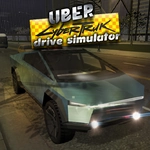
📝Uber CyberTruck Drive Simulator Overview
Slide behind the wheel of a CyberTruck and tear through open landscapes, dodging traffic and testing just how tough that angular shell really is.
💬What is Uber CyberTruck Drive Simulator?
I wasn't expecting much from a browser driving sim, but Uber CyberTruck Drive Simulator surprised me with its weighty handling and surprisingly large map. You get one angular electric truck and a whole network of roads, dirt trails, and empty parking lots to throw it around. The game doesn't hold your hand—no mission arrows, no timer—you just drive and find your own trouble.
The first time I took a corner too hot in the rain, the back end slid out and I ended up doing a full 180 into a guardrail. The truck shrugged it off. That's the beauty: the physics are forgiving enough to have fun but not so floaty that it feels like a toy. You can switch camera angles with C, which I ended up doing constantly—chase cam for cruising, hood cam for tight city streets.
WASD or arrows get you moving, and there's enough variety in terrain to keep things interesting. The CyberTruck handles differently on asphalt, grass, and gravel, which means you'll actually think about your line through a corner rather than just holding forward. It's not a deep simulation, but it's exactly the kind of thing you open during a boring class or lunch break and lose twenty minutes to without noticing. There's no passenger pickup mechanic despite the Uber name—you just drive, which honestly is fine by me. The map is big enough to explore, and there are enough obstacles and elevation changes to make offroading genuinely fun. If you want pure arcade cruising with a Cybertruck, this is it.
👥How to Play Uber CyberTruck Drive Simulator
Controls : W,A,S,D or Arrow Keys
Camera : C
✨Game Tips
Tap C to cycle camera angles; the hood view makes judging tight gaps way easier.
Offroad shortcuts often save time, but watch out for hidden rocks that can send you airborne.
Brake before corners, not during—the CyberTruck's weight shifts dramatically if you stab the brake mid-turn.
Use the shoulder of the road to set up wide entry angles on hairpins.
Don't bother with reverse unless you're stuck; the truck accelerates fast enough to power out of most mistakes.
🔧FAQ
Q: Is Uber CyberTruck Drive Simulator free?
A: Yes, it's completely free to play in your browser with no paywalls or hidden fees.
Q: Can I play Uber CyberTruck Drive Simulator on mobile?
A: The game runs in a mobile browser, but the keyboard controls work best on a desktop or laptop.
Q: Do I need to download anything to play?
A: No downloads or installs required. Just open the game page and it loads instantly.
Q: What are the controls for Uber CyberTruck Drive Simulator?
A: Use WASD or arrow keys to drive. Press C to change the camera angle.
Q: Is there a goal or missions in Uber CyberTruck Drive Simulator?
A: There are no missions; it's a free-roam driving sandbox. Make your own fun.
Q: Does Uber CyberTruck Drive Simulator work on school computers?
A: Yes, it's unblocked and browser-based, so most school networks allow it. Just check if WebGL is enabled.