
Ultimate Speed Driving
Play Count0
Published2024-01-29
Supported DevicesPC
CategoryAdventure & RPG
Rating★★★★★5.0Rate this game
📝Ultimate Speed Driving Overview
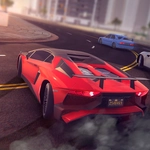
Floor it past screaming engines, weave through dense traffic, and push a 3D supercar to its absolute limit on endless highways.
💬What is Ultimate Speed Driving?
The moment you hit the gas in Ultimate Speed Driving, the sense of velocity hits you. It's not a circuit racer — it's about survival at 200 km/h on highways packed with slower cars, trucks, and the occasional roadblock. You steer with gentle taps or smooth drags; overcorrect and you'll kiss the guardrail. I learned that the hard way on my third run when a sudden lane change sent me into a spin that lasted four full seconds before I recovered.
On PC, WASD does the job, but there's nuance: holding W while tapping A or D lets you drift without losing much speed. On mobile, the on-screen buttons are responsive enough, though my fat thumbs occasionally hit the wrong one. The 3D visuals are clean, not photo-real, but the draw distance is long enough to spot traffic ahead. Cars appear as colored blobs until you're close, which adds a reaction-time element. The unlimited mode just keeps going; your score climbs the longer you survive without a crash. Near misses give you a tiny speed boost, which is risky but addictive.
It's not going to replace Forza, but for a browser tab during class or a quick adrenaline fix, it does the job. You'll restart after every crash because the first twenty seconds are pure chaos — and then you find your rhythm, threading between two trucks with centimeter clearance. That feeling never gets old. If you want a time-killer that asks for focus but doesn't punish you with menus, this is it.
👥How to Play Ultimate Speed Driving
On PC
WASD = move
On Mobile
Tap the buttons on the screen
✨Game Tips
Tap the steering keys in short bursts instead of holding them — oversteering at high speed is the quickest way to crash.
Aim for near misses; they give a tiny speed boost that adds up over a long run.
On mobile, use your left thumb to steer and right thumb for gas/brake; keep both thumbs ready.
Don't try to overtake a truck on the right if there's a barrier — wait for a gap on the left.
If you spin out, immediately steer into the spin and release gas to regain control faster.
🔧FAQ
Q: Is Ultimate Speed Driving free?
A: Yes, it's completely free to play in your browser with no hidden fees or in-game purchases.
Q: Can I play Ultimate Speed Driving on mobile?
A: Absolutely. The game has touch controls that appear automatically on mobile devices.
Q: Do I need to download anything?
A: No downloads required. It runs directly in your web browser as an HTML5 game.
Q: What are the controls on PC?
A: Use WASD keys: W to accelerate, S to brake/reverse, A and D to steer left and right.
Q: Does the game have different cars?
A: The game focuses on a single high-performance car. The challenge is mastering speed and traffic, not choosing vehicles.
Q: How do I restart after crashing?
A: The game auto-restarts instantly, or press R on PC to reset your run immediately.