
Vice City Mad Driving
Play Count0
Published2026-01-12
Supported DevicesPC
CategoryAdventure & RPG
Rating★★★★★5.0Rate this game
📝Vice City Mad Driving Overview
Grab the wheel, ignore every traffic law, and turn the city into your personal demolition derby in this unhinged driving sandbox.
💬What is Vice City Mad Driving?
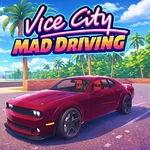
You ever boot up a game just to see what happens when you send a car flying off a bridge at full speed? That's basically the whole vibe here. Vice City Mad Driving drops you into a sun-bleached, neon-tinged city with no mission markers, no timers, and absolutely zero respect for your fenders. The moment I first clipped a curb at 80 mph and watched the car do a full 360 into a palm tree, I knew this was going to be one of those 'one more run' games.
Handling is arcade-simple but deceptively slippery—hold W and you'll hit top speed fast, but those turns? You'll need to feather the throttle or you'll fishtail into a bus stop. Space is your brake, but don't expect ABS; slam it and you'll skid sideways half a block. The mouse-controlled camera is essential because the city actually has verticality: ramps, overpasses, and those little parking garage entrances you can launch off if you line it up right. I spent ten minutes just trying to land on top of a moving taxi. Didn't manage it, but the explosion was worth it.
There's something oddly meditative about driving with no destination. You'll spot a shortcut through an alley, cut across a plaza, or just ram a police car because you can. Damage is visual—your hood crumples, doors fly off—but you can always hit R to instantly teleport back to a fresh spawn. No game over screens, no repair costs. Just pure, pointless, wonderful chaos. If you've ever wanted the traffic-weaving freedom of an open-world game without the story getting in the way, this is your jam.
👥How to Play Vice City Mad Driving
WASD - Drive. Space - Brake. R - Restart. Mouse - Rotate view. TAB - Pause.
✨Game Tips
Feather the throttle through turns instead of holding W—too much speed will send you spinning out constantly.
Use the mouse aggressively to check your sides and behind; traffic comes from everywhere and you'll get t-boned a lot.
Space isn't a handbrake, it's a full brake—tap it quickly to shave speed without losing all momentum.
If you wedge yourself into a building or under a truck, just hit R. Resetting beats reversing for 20 seconds.
Don't forget TAB pauses the game. Handy if you need a second to plan a jump or check your surroundings.
Look for ramps near the beach and industrial area—they launch you farther than you'd think, and the landing is never boring.
🔧FAQ
Q: Is Vice City Mad Driving free to play?
A: Yes, it's completely free in your browser, no hidden fees or premium unlocks.
Q: Can I play Vice City Mad Driving on mobile?
A: It works on mobile browsers, but the controls are really designed for keyboard and mouse, so a desktop is recommended.
Q: Do I need to download or install anything?
A: No downloads needed. It runs directly in your web browser as an HTML5 game.
Q: Does Vice City Mad Driving have missions or objectives?
A: No objectives at all. You just drive around and cause chaos however you want.
Q: What are the controls for Vice City Mad Driving?
A: WASD to drive, Space to brake, Mouse to look around, R to restart, and TAB to pause.
Q: Is there a multiplayer mode in Vice City Mad Driving?
A: No, it's a single-player experience. Just you, the car, and a city full of bad decisions.