
Voxel Frontier
Play Count0
Published2026-06-22
Supported DevicesPC
CategoryAdventure & RPG
Rating★★★★★5.0Rate this game
📝Voxel Frontier Overview
Pick a direction, start swinging, and watch the landscape crumble into cubes you can stack, tunnel, or tower into something wild.
💬What is Voxel Frontier?
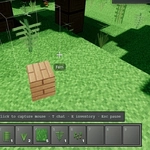
I was a few minutes in when I accidentally dug straight down and fell into a cave I didn't know existed. That's Voxel Frontier in a nutshell — it gives you a voxel world, a pickaxe, and zero hand-holding. The controls are dead simple: WASD to wander, left click to smash blocks, right click to plop them back down. You'll quickly realize the terrain isn't just decoration; it's your entire toolkit. Need a staircase? Carve one. Want a tower? Stack blocks until your wrist hurts. The inventory system (hit E) keeps things tidy, and F5 flips you into third person when you want to admire your handiwork.
The real hook isn't just breaking things, though that's satisfying in a crunchy, low-poly way. It's the fact that every block you mine becomes a resource you can place anywhere. I spent twenty minutes building a bridge across a ravine, only to realize I'd made it one block too narrow for my own comfort. That kind of self-inflicted problem-solving is where the game shines. There's no story, no quests, no timer — just you and a landscape that doesn't care if you tunnel through it or turn it into a floating island. The third-person toggle is handy for checking out your builds from a better angle, and the blocky aesthetic keeps everything readable even when your screen fills with floating cubes.
If you're the type who likes to dig for no reason or reconstruct your house in cube form, this one's for you. It's not chasing MMO clout or survival complexity — just a focused, surprisingly chill block playground in your browser. And remember: right-click places blocks. That's where the real fun starts.
👥How to Play Voxel Frontier
WASD
Click to break block
Right click to place
E to open inventory
Esc to leave
F5 to go into 3rd person
✨Game Tips
Mine a few dozen blocks before building anything — you'll want extra cubes for scaffolding
Press F5 for third-person view when your structure gets taller than your field of view
Keep your inventory sorted with E; knowing where your blocks are saves time mid-build
Never dig straight down unless you're prepared for a long fall or a cave surprise
Right-click places blocks exactly where you're looking — practice on flat ground first
Use natural terrain as a foundation; hollowing out a hill beats building walls from scratch
🔧FAQ
Q: Is Voxel Frontier free to play?
A: Yes, it's completely free in your browser with no hidden fees or premium blocks.
Q: Do I need to download or install anything?
A: No downloads. Just open the game page and it runs in HTML5, so any modern browser works.
Q: Can I play Voxel Frontier on mobile?
A: Touch controls aren't fully supported, so a keyboard and mouse are recommended for best play.
Q: What are the basic controls?
A: WASD to move, left click to break, right click to place, E for inventory, F5 for third person, Esc to exit menus.
Q: Is there a way to save my world?
A: The browser version is session-based, so your builds reset when you close the tab or refresh.
Q: Does Voxel Frontier have enemies or survival elements?
A: No, it's a pure sandbox — no hunger, no mobs, just breaking and placing blocks at your own pace.