
Walkers Attack
Play Count0
Published2024-07-17
Supported DevicesPC + Mobile
CategoryAdventure & RPG
Rating★★★★★5.0Rate this game
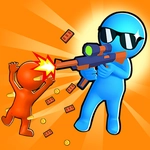
📝Walkers Attack Overview
A horde of shambling walkers is closing in, and your trigger finger is the only thing between you and a messy end.
💬What is Walkers Attack?
I lost my first run in about forty seconds because I tried to line up every shot. That doesn't work in Walkers Attack. You don't get a breather, you don't get a crosshair with a nice little dot, and you definitely don't get time to second-guess yourself. The walkers come from all sides, and your only job is to click or tap them before they chew through whatever's left of your health bar. It's a panic sim, and I mean that as a compliment.
The thing that got me hooked wasn't the gore or the sound effects — it was the nasty little decision loop. A slow walker shambling on the left might be an easy kill, but the fast one on the right is already closing the gap. Do you clear the immediate threat or thin the herd? I kept picking wrong at first. Then something clicked (pun intended). You learn to flick your eyes across the screen, tap the closest walker, then immediately snap to the next one. There's a rhythm to it, almost like a grim version of whack-a-mole, except the moles want to eat you.
On mobile, the taps feel responsive enough that I didn't miss a mouse. On desktop, I caught myself clicking so fast my finger started to ache. The difficulty ramps up without mercy — by wave five or six you'll be sweating, and by wave ten you'll be dead. Probably. I was. The only control being a click or tap means there's no complicated system to learn, which is good, because the challenge is all about speed and priority. If you want a quick, tense session with no tutorial, Walkers Attack delivers.
👥How to Play Walkers Attack
Mouse click or tap to play
✨Game Tips
Ignore the slow walkers until the fast ones are down; they'll catch up when you're distracted.
Tap the edge of the screen where walkers spawn to get a head start on those farthest away.
Your clicks don't need to be pixel-perfect — aim for center mass, not heads.
On mobile, use two thumbs if the screen size allows; one-thumb tapping slows you down.
If a wave gets overwhelming, focus on clearing one side first so you don't get surrounded.
Sound cues can tell you when a walker is about to hit you even if it's off-screen.
🔧FAQ
Q: Is Walkers Attack free?
A: Yes, it's free to play in your browser with no payment required.
Q: Can I play Walkers Attack on mobile?
A: Yes, the game supports touch controls for phones and tablets.
Q: Do I need to download anything?
A: No download needed — it runs directly in your browser as an HTML5 game.
Q: Is Walkers Attack unblocked at school?
A: It's on an unblocked games site, so it usually works on school networks.
Q: What happens if the walkers reach me?
A: You take damage; if your health hits zero, the run ends and you restart.
Q: Does Walkers Attack have different difficulty levels?
A: The difficulty scales automatically as waves progress; there's no separate mode selector.