
Warfare Area 2
Play Count0
Published2021-12-15
Supported DevicesPC + Mobile
CategoryAdventure & RPG
Rating★★★★★5.0Rate this game
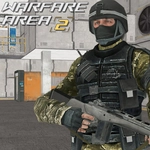
📝Warfare Area 2 Overview
Lock and load—Warfare Area 2 drops you into a brutal 3D firefight where every corner hides a target.
💬What is Warfare Area 2?
Warfare Area 2 is a browser-based 3D shooter that keeps things simple: you spawn, grab a gun, and start trading bullets. The movement is snappy—WASD or arrows to strafe, mouse to aim and fire, R to reload, and L to lock your cursor so you don't accidentally click outside the game. It’s the kind of game where you can jump in for five minutes and suddenly realize an hour’s gone.
What I like most is how cheap deaths feel earned. If you sprint around a corner without checking your angles, you'll eat a headshot. But when you crouch behind a crate, listen for footsteps, and pre-fire the exact spot where an enemy peeks, that kill is yours. The maps are compact enough that you rarely have to search for a fight, but open enough to flank. On mobile, the on-screen joystick works, but mouse and keyboard is definitely the way to play if you care about reaction time. The bots are aggressive enough that you can't just camp one spot, and the respawns keep the pressure constant.
It won’t win any awards for graphics or story, but that’s not the point. Warfare Area 2 nails the core loop—move, shoot, reload, repeat—with just enough weapon variety to keep things interesting. If you want a no-nonsense FPS fix without downloading anything, this is a solid pick.
👥How to Play Warfare Area 2
Computer: Arrow keys or W,A,S,D to move the character. Mouse to turn the character, aim and shoot. L to lock pointer. R to reload. P - pause.
Mobile: Use on-screen joystick to move, fire button to shoot, tap and drag on right side of the scr
✨Game Tips
Strafe and pre-aim corners to win 1v1s before the enemy snaps to you.
Use burst fire at medium range—the recoil climbs if you hold the trigger.
Watch for muzzle flash in dark areas; sound cues will give away flankers.
Reload behind cover, never in the open, or you'll be an easy target.
On mobile, drag gently on the right side to aim instead of jerking the camera.
Adjust mouse sensitivity early; default can feel sluggish for twitch shots.
🔧FAQ
Q: Is Warfare Area 2 free to play?
A: Yes, it's completely free in your browser with no hidden fees.
Q: Can I play Warfare Area 2 on my phone?
A: Absolutely, the mobile version uses an on-screen joystick and touch aiming.
Q: Do I need to download Warfare Area 2?
A: No download is required—just load the page and you're in.
Q: Is Warfare Area 2 unblocked at school?
A: It's designed as an unblocked game, but some networks may still restrict it.
Q: What are the controls for Warfare Area 2?
A: Use WASD or arrows to move, mouse to aim and shoot, R to reload, P to pause.
Q: Does Warfare Area 2 have multiplayer?
A: It focuses on fast bot matches, though some versions may offer online play.