
Warfare Area 3
Play Count0
Published2024-10-02
Supported DevicesPC + Mobile
CategoryAdventure & RPG
Rating★★★★★5.0Rate this game
📝Warfare Area 3 Overview
Grab your rifle and plunge into chaotic firefights across a war-torn city — every doorway could be your last.
💬What is Warfare Area 3?
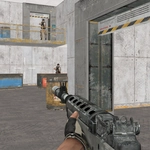
I wasn't expecting much when I loaded Warfare Area 3, but the first firefight caught me off guard. The gunshots echo off crumbling walls, and you can't just spray and pray — ammo runs dry fast if you're sloppy. You control a soldier moving through a war-torn city block, using WASD or arrow keys to move while your mouse controls the camera and weapon. Click to fire, R to reload, and L locks your cursor so you don't accidentally click outside the game. It's simple on paper, but the tension is real: enemies pop out from behind sandbags, and if you peek the same corner twice, you're dead.
The 3D graphics are rough but functional, which honestly adds to the charm. It feels like an old-school browser shooter that actually respects your time — no menus, no loadouts, just drop in and fight. I kept coming back because the gunplay feels snappy, and each kill gives a little jolt of satisfaction. The map isn't huge, but it's cleverly laid out with multiple angles to get flanked from. If you're not checking your six, you will die. That's not a bug; that's the point.
One thing I appreciated: the pause button (P) actually works in single player, so you can catch your breath when the waves get overwhelming. And they do get overwhelming. The enemy AI isn't genius, but they swarm, and suddenly you're scanning every window and doorway. It's a solid pick for a quick adrenaline fix between classes, and it runs in any modern browser without downloads. Just don't blame me if you lose track of time.
👥How to Play Warfare Area 3
Computer: Arrow keys or W,A,S,D to move the character. Mouse to turn the character, aim and shoot. L to lock pointer. R to reload. P - pause.
Mobile: Use on-screen joystick to move, fire button to shoot, tap and drag on right side of the screen to aim and
✨Game Tips
Save your ammo: reload only when you're behind cover, not mid-firefight.
Use L to lock your mouse pointer; it keeps your aim from drifting off the game window.
Flank enemies instead of trading shots head-on — the AI rarely checks behind sandbags.
Listen for footsteps; sound cues tell you where the next wave is coming from.
Peek corners with short mouse flicks, not long exposures.
If you're low on health, retreat to the building interiors where you can funnel enemies into chokepoints.
🔧FAQ
Q: Is Warfare Area 3 free?
A: Yes, it's completely free to play in your browser.
Q: Can I play Warfare Area 3 on mobile?
A: Yes, the game supports touch controls with on-screen joystick and fire button.
Q: Do I need to download anything?
A: No downloads needed, it runs directly in any modern web browser.
Q: How do I pause the game?
A: Press the P key on your keyboard to pause during single player.
Q: Is Warfare Area 3 multiplayer?
A: No, it's a single-player experience against AI enemies.
Q: What are the controls?
A: Use WASD or arrow keys to move, mouse to aim and shoot, R to reload, L to lock cursor.